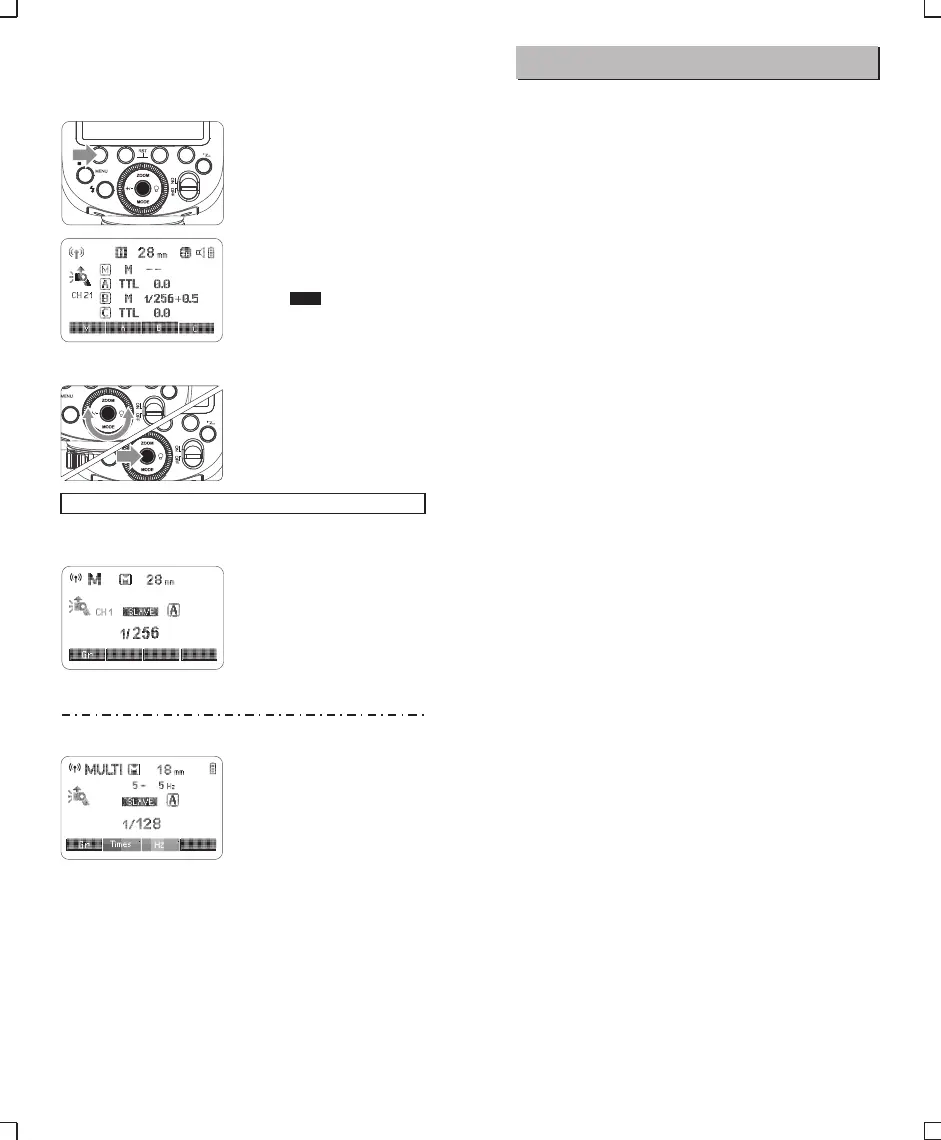
This describes wireless (multiple shooting) using manual flash. You
can shoot with a different flash output setting for each slave unit
(firing group). Set all parameters on the master unit.
7. M: Wireless Flash Shooting with Manual Flash
Setting the flash mode to
1 <M>.
Taking the picture.
3
Setting <M> Flash Mode
You can directly operate the slave unit to manually set the manual
flash or stroboscopic flash.
Setting the slave unit.
1
Setting flash mode to <M>.
2
● Press <MODE> button so
that <M> is displayed.
● Set the manual flash
output. (Page 13)
< >. Turn the Select
Dial to set the flash output
of the groups. Press Set
Button to confirm.
Setting flash
2 output.1/2/3/4<M/A/B/C>
● Press Function Button 3
Gr
● Each group fires at the set
flash ratio.
8. Multi: Wireless Flash Shooting with Manual Flash
● Setting the stroboscopic flash.
(Page 14)
Setting <MULTI> stroboscopic
flash.
● Press <MODE> button so that
<MULTI> is displayed.
Olympus/Panasonic
CH 21
Other Applications
Sync Triggering
The Sync Cord Jack is a Φ2.5mm plug. Insert a trigger plug here
and the flash will be fired synchronously with the camera shutter.
- 21 - - 22 -


 To Next Page