i
1
3
4
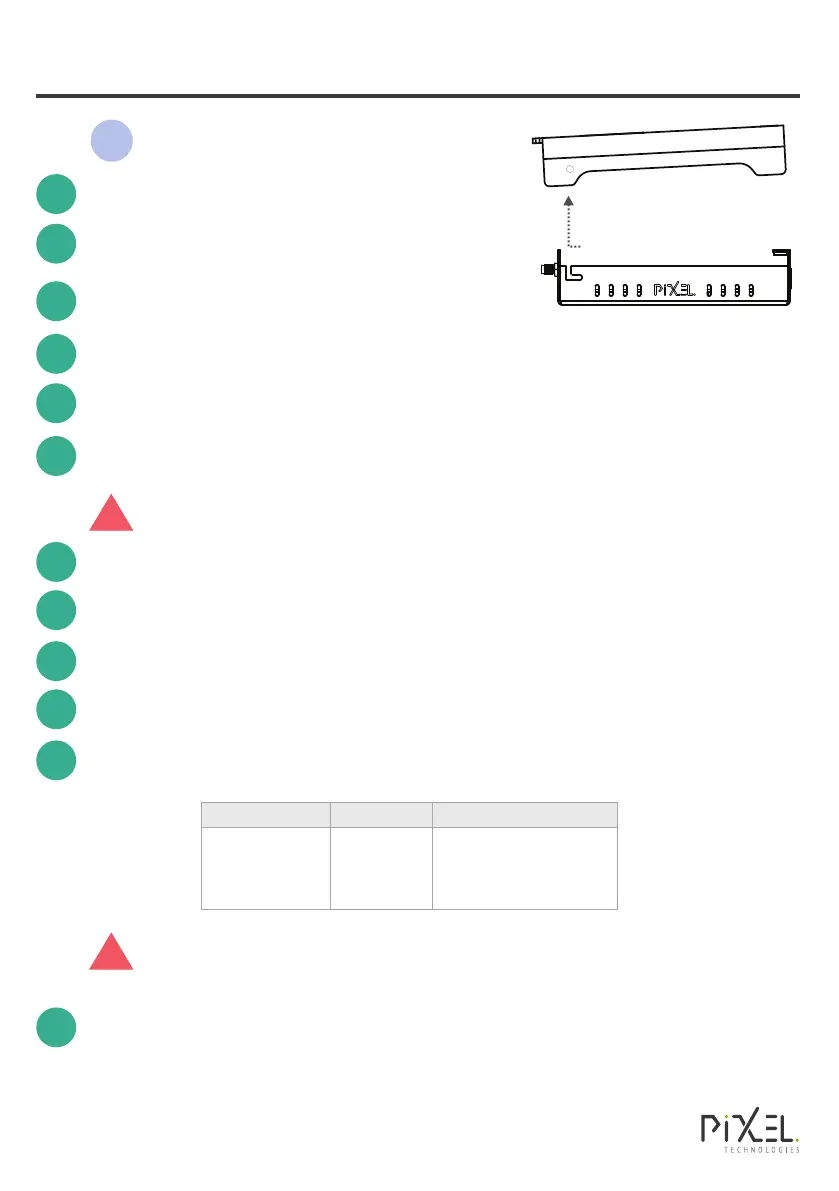
Unscrew the captive screw in the top cover.
Break out the bottom centre cable conduit entry.
Refer to Installation Overview Diagram
(back page) before proceeding.
!
2
To remove top cover, lift up on a slight angle
(as shown), sliding forwards before removing.
Installation
5
Insert SIM Card(s), ensuring your preferred network provider is in SIM 1.
6
Connect the 4G Antenna.
Power the unit with the 12V DC Adapter provided & remove to operate on
battery backup.
7
Before proceeding ensure the proposed install location has optimum
signal strength, refer to ‘System LED indicators’ SIG LED.
8
Power down the unit by holding down the RESET button for 5 seconds.
9
Mount the unit using the two M4 mounting holes on the back.
10
Connect the emergency phone dialler to the FXS Phone Line Interface port.
11
Re-attach top cover and re-power the unit with the 12V DC Adapter provided.
If using Pixel Mobile SIMs, the gateway will auto-detect its APN settings as per
the table below. (AU/NZ model Only)
To finalize installation make an outgoing TEST call from your lift
emergency phone dialler.
12
Default APN
tesltra.internet
om2moptus
live.vodafone.com
SIM Supplier
Pixel Mobile
Network
Telstra
Optus
Vodafone
If the APN for your Network is not listed in the table above you MUST
set a Custom APN. Please refer to SMS commands on the back page.
!


 To Next Page
 Loading...