07 08
English
English
USAGE
5. RGB Color Mode Adjustment (RGB)
255
R
G
B
0
0
RGB
0
R
G
B
255
0
RGB
0
R
G
B
0
255
RGB
765
H
S
10%
100%
HSI
765
H
S
100%
100%
HSI
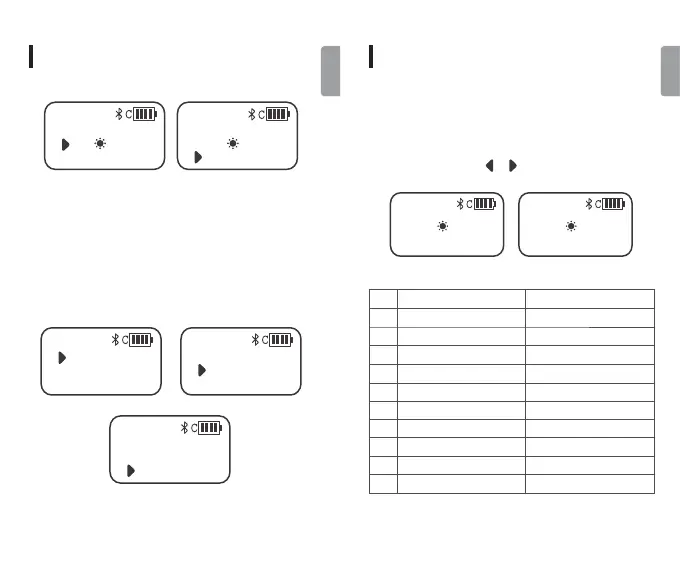
Short press the adjustment dial wheel[OK]to set the
R/G/B colors from 0 to 255, and achieve different effects
through the combinations of different colors, which is up
to 16 million combinations of colors.
USAGE
6. Scene Effect Mode Adjustment
0%
SCENE 1
Lightning1
100%
SCENE 10
Candlelight
No.
Scene Effect Mode
Lightning1
Lightning2
Lightning1
Lightning2
Cinema Simulation
Police Van Simulation
Ambulance Simulation
Cinema
Police Van
Ambulance
Effect
Fire Truck
Fast RGB
Fire Truck Simulation
RGB Cycle Fast Speed
RGB Cycle Low Speed
SOS
Candlelight Simulation
Slow RGB
SOS
Candlelight
1
2
3
4
5
6
7
8
9
10
Support 10 kinds of scene effect modes. Short press the
adjustment dial wheel [OK] to switch in cycle. Rotate the
adjustment dial wheel [ ] [ ] to set the brightness.



 To Next Page