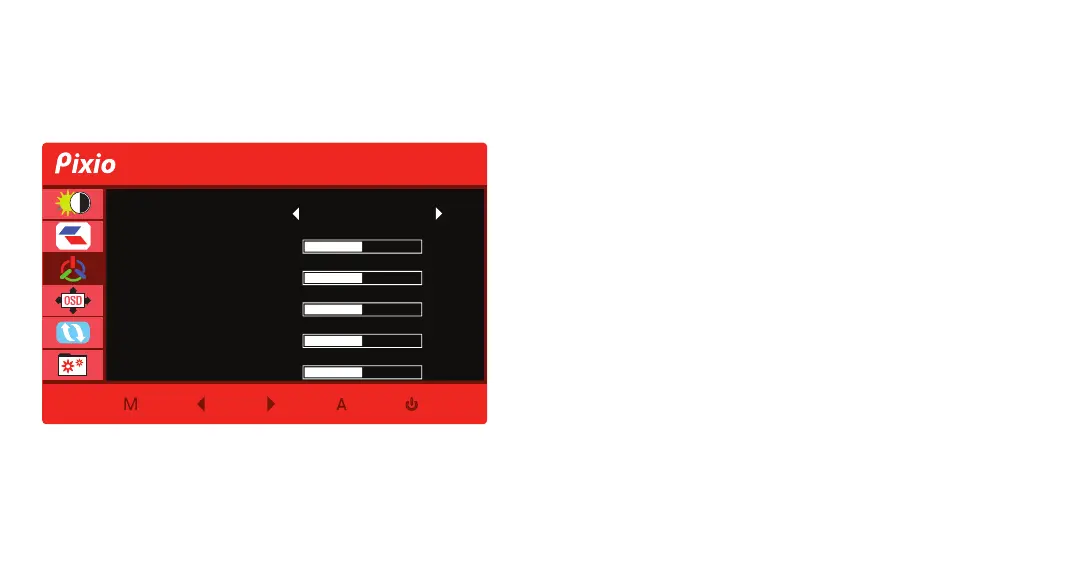
Color Temp.: Select Color Temp. from Normal, Warm, Cool,
and User.
Red: Adjust the Red value from 0 to 100.
Green: Adjust the Green value from 0 to 100.
Blue: Adjust the Blue value from 0 to 100.
Low Blue Light: Adjust the Low Blue Light value from 0 to 100.
Black Equalizer: Adjust the Black Equalizer value from 0 to 100.
Color Temp.
Color Setup V1.0
Red 50
50Green
50Low Blue Light
50Black Equalizer
Warm
50Blue


 To Next Page