
 Need help?
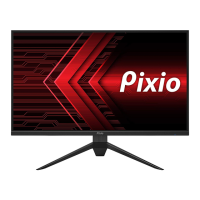
Do you have a question about the Pixio PX248 WAve and is the answer not in the manual?
Ensure adequate ventilation, avoid heat sources, direct sunlight, and humid areas for optimal product performance and longevity.
Information on potential display issues like flickering, uneven brightness, dead pixels, and image burn-in, and how to handle them.
Explains the function of each OSD control button: M, ▼, ▲, E, and Power Button for menu navigation and operation.
Guide on how to use short keys to activate Signal Input Selection and Preset Feature for quick access to functions.
Instructions on navigating the OSD menu using M, ▼, and ▲ buttons for selecting options and adjusting values.
Explains how to switch the signal input to Auto Select, HDMI (2.0), or DP (1.4).
Details on adjusting display settings: Brightness, Contrast, DCR, Aspect Ratio, Sharpness, and Black Equalizer.
Guide to color adjustment options: Gamma, Preset, Color Temperature, Hue, Saturation, and Low Blue Light.
Configuration for gaming-specific features like FreeSync Premium, HDR, MPRT, and Overdrive settings.
Options for audio control, including Mute and Volume adjustments from 0 to 100.
Settings for OSD menu appearance: Language, Horizontal/Vertical Position, Transparency, and Timer.
Miscellaneous settings including Flicker Free, Firmware Update, and Reset to factory defaults.
 General
| Screen Size | 24 inches |
|---|---|
| Refresh Rate | 144Hz |
| Panel Type | IPS |
| Response Time | 1ms (MPRT) |
| Aspect Ratio | 16:9 |
| Brightness | 250 cd/m² |
| Contrast Ratio | 1000:1 |
| Adaptive Sync | AMD FreeSync Premium |
| Viewing Angle | 178° (H) / 178° (V) |
| VESA Mount | 100 x 100 mm |
| Resolution | 1920 x 1080 |
| Connectivity | HDMI, DisplayPort |





 To Next Page