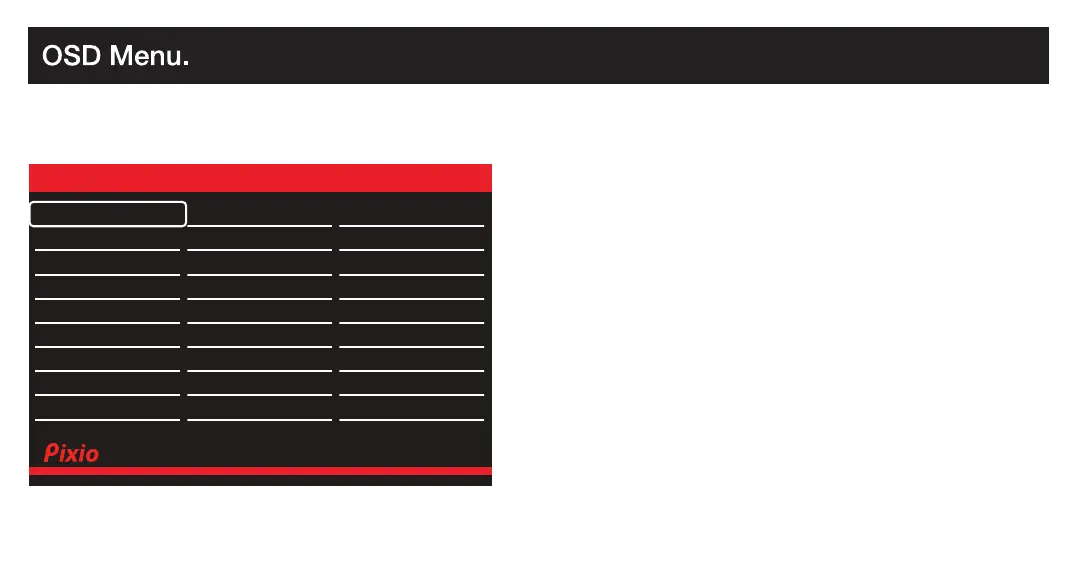
Input selection Short Key
Preset selection Short Key
Crosshair(LoS) selection Short Key
Open the Main OSD Menu
Turn the monitor On or Off
Short Key Guide
Activate the Preset Feature. Further press to cycle through the preset.
Activate the Signal Input Selection menu. Use and to navigate and M to select the source.
Input selection Short Key
Preset selection Short Key
Crosshair(LoS) selection Short Key
Open the Main OSD Menu
Turn the monitor On or Off
Short Key Guide
Activate the Preset Feature. Further press to cycle through the preset.
Activate the Signal Input Selection menu. Use and to navigate and M to select the source.
Preset
Input
Select
Audio
Adjust
Color
Adjust
Manual Image
Adjust
Preset
Setup
Menu
Preset : Select Preset from Standard, Game [ FPS1, FPS2, RTS,
Night Vision, Gamer1, Gamer2, Gamer3 ], Movie
DP Resolution: 1920x1080@200Hz
Auto Select
HDMI (2.0)
DP (1.4)
Audio Adjust
Color Setup
Display
Misc.
OSD Setup
Gaming Setup
Input
Version: V1.0
Input
Switch the signal input to Auto Select, HDMI (2.0), or DP (1.4).






 To Next Page