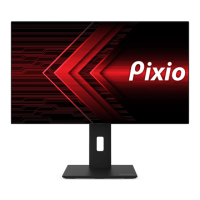
Need help?
Do you have a question about the Pixio PX277 PRO and is the answer not in the manual?
Guidance on proper monitor placement and ventilation to ensure optimal performance and prevent damage from heat or improper positioning.
Instructions on navigating the On-Screen Display (OSD) menu using the jog button for adjustments like increasing/decreasing values or entering menus.
Optimize performance for gaming with settings like FreeSync Premium, overdrive, game plus features, HDR, DCR, MPRT, and RGB light.
Step-by-step instructions on configuring the monitor and connected PCs to utilize the KVM switch for multi-computer control.
 General
| Screen Size | 27 inches |
|---|---|
| Resolution | 2560 x 1440 (QHD) |
| Refresh Rate | 165 Hz |
| Response Time | 1 ms (MPRT) |
| Panel Type | IPS |
| Contrast Ratio | 1000:1 |
| Adaptive Sync | AMD FreeSync Premium |
| Display Colors | 16.7 million |
| Aspect Ratio | 16:9 |
| VESA Mount | 100x100mm |
| HDR | HDR400 |
| Viewing Angle | 178°/178° |
| Connectivity | HDMI, DisplayPort |
| Ports | 2 x HDMI 2.0, 1 x DisplayPort 1.4 |
| Brightness | 400 cd/m² |

 To Next Page