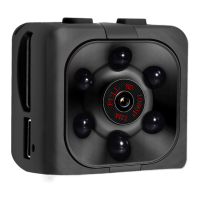
1) Turn on the camera by pressing the «on/off» button once. (blue led)
2) To activate motion detection, press and hold the "mode" button on the mini-camera for
approx. 3 seconds. (Red led flashes 3 times and both led’s go off)
3) Stop this function by pressing the «on/off» button once.
As soon as motion is detected within 5 meters, video recording will start automatically.
The red and blue led's will blink shortly and the cam will record for about 5 minutes after
which it will go back into (detection) standby. (led’s are off)
When recording with motion detection, the video recording is automatically saved every 5
minutes.
Motion detection only records when there is movement


 To Next Page
 Loading...