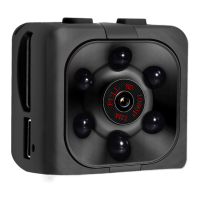
1) Press the «on/off» button once to turn the cam on (standby = blue led).
2) Press the «on/off» button again for approx. 3 seconds - red led flashes twice and the
blue led turns on. You are now in night vision mode.
3) Press the «on/off» button once to start recording. The blue led blinks 3x and both led's
are off during recording.
4) Press 1x on the «on/off» button to stop recording.
1) Press the «on/off» button once to turn the cam on (standby = blue led).
2) Press the «on/off» button again for approx. 3 seconds - red led flashes twice and the
blue led turns on. You are now in night vision mode.
3) Press 1x on the «mode» button to activate the 1080P video recording mode. (blue/red
led)
4) Press 1x on the «on/off» to start recording. The red led will blink 3x and both led's will
turn off during recording.
5) Press 1x on the «on/off» button to stop recording.
Night vision is accurate up to ca. 4 mtr distance.


 To Next Page
 Loading...