~ 132 ~
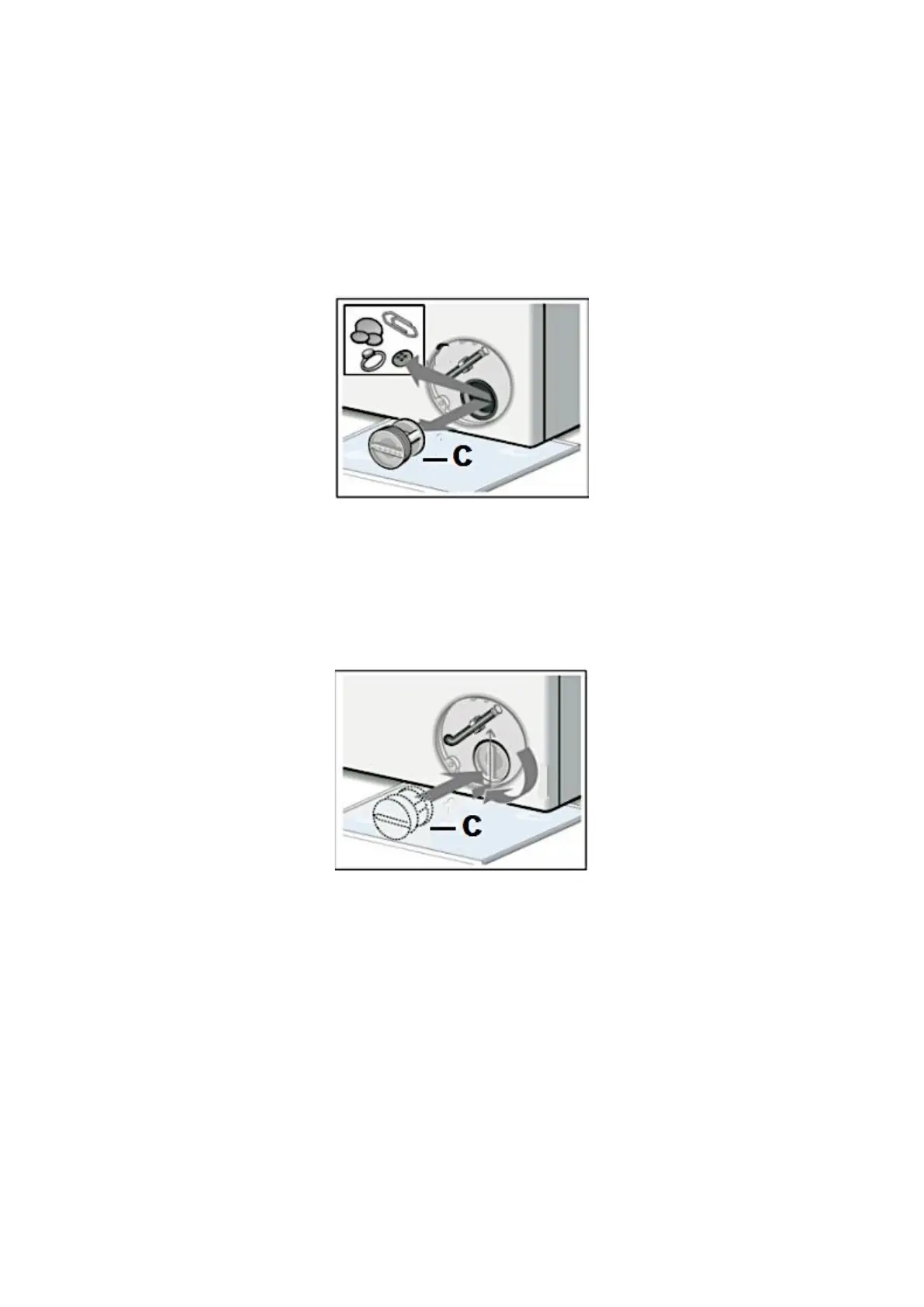
a) Open the drain pump filter (C), but do not remove it completely. Rotate the
drain pump filter (C) in anti-clockwise direction until the water begins to run
(s. fig. below).
b) Wait until the water has drained completely.
c) Unscrew the drain pump filter completely and remove it.
5. Clean the drain pump filter and the drain pump chamber carefully (s. fig. below).
Fig. similar: fig. serve as an example only.
6. Depending on model, check that the pump rotor can move freely.
7. Insert the drain pump filter (C) and screw it in as far as possible in clockwise
direction (s. fig. below).
Fig. similar: fig. serve as an example only.
8. Check that the drain pump filter is installed properly.
9. Close the cover panel properly.


 To Next Page