3
Multi-Mount Ready ™ Optional Mounting
Alternatives
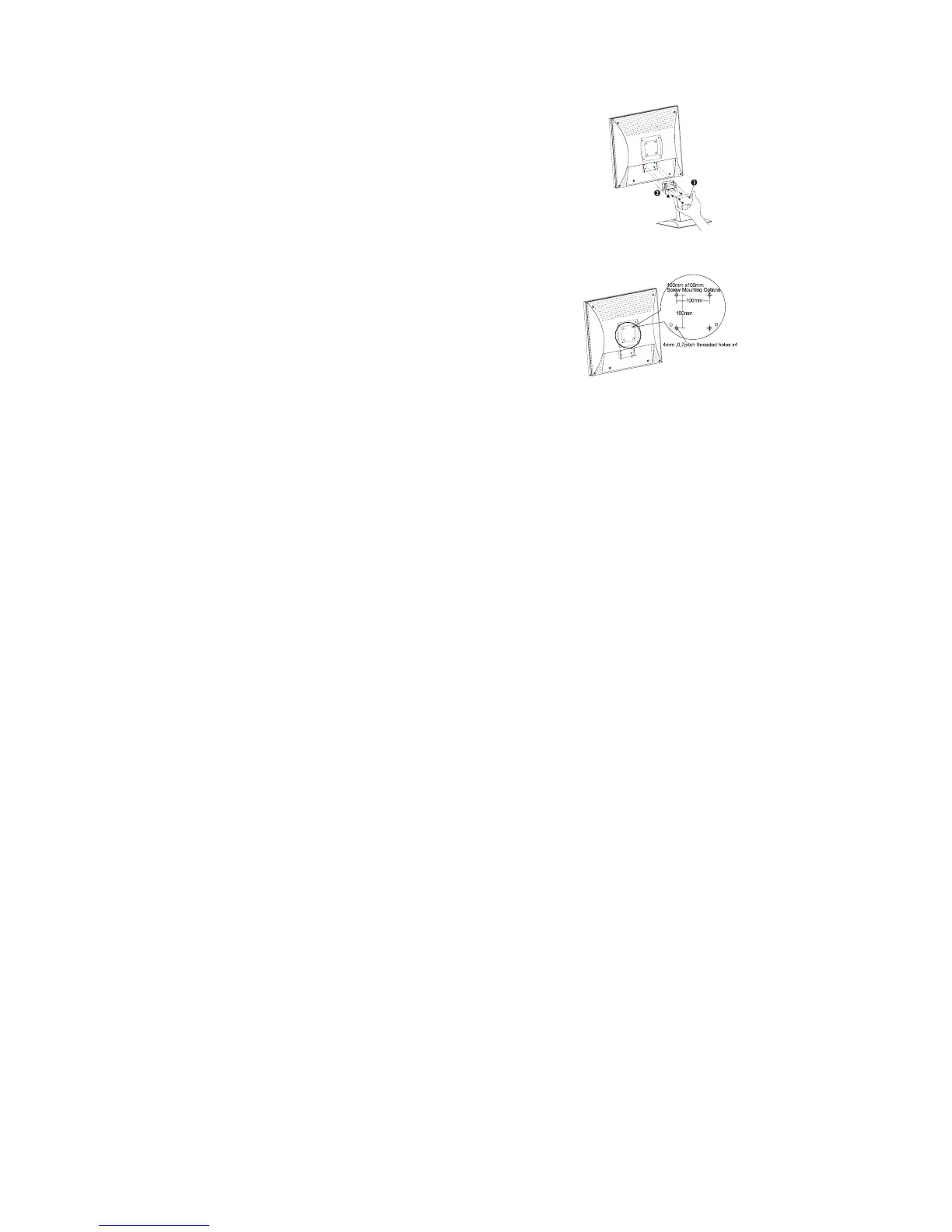
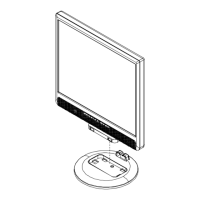
Detaching LCD Monitor from Its Stand
Unscrew screws n the swivel base support column and pull downo the
second.
or Wall Mount, Arm, or Alternate
Deskstand Applications
The rear of this LCD display has four integrated 4 mm, 0.7 pitches
threaded nuts, as well as four 5 mm access holes in the plastic covering
as illustrated in Figure 1-4. These specifications meet the
VESA Flat Panel Monitor Physical Mounting Interface Standard
(paragraphs 2.1 and 2.1.3, version 1, dated 13 November 1997).
Note :Please using Ø 4mm x 8mm (L) screw for this application.
Power Management System
This LCD Monitor complies with the VESA DPMS (version 1.0) Power Management guidelines. The VESA DPMS
provides four power saving modes through detecting a horizontal or vertical sync. signal. When the LCD Monitor is in
power saving mode, the monitor screen will be blank and the power LED indicator will light yellow.



 To Next Page