7
Display Controls
User Controls
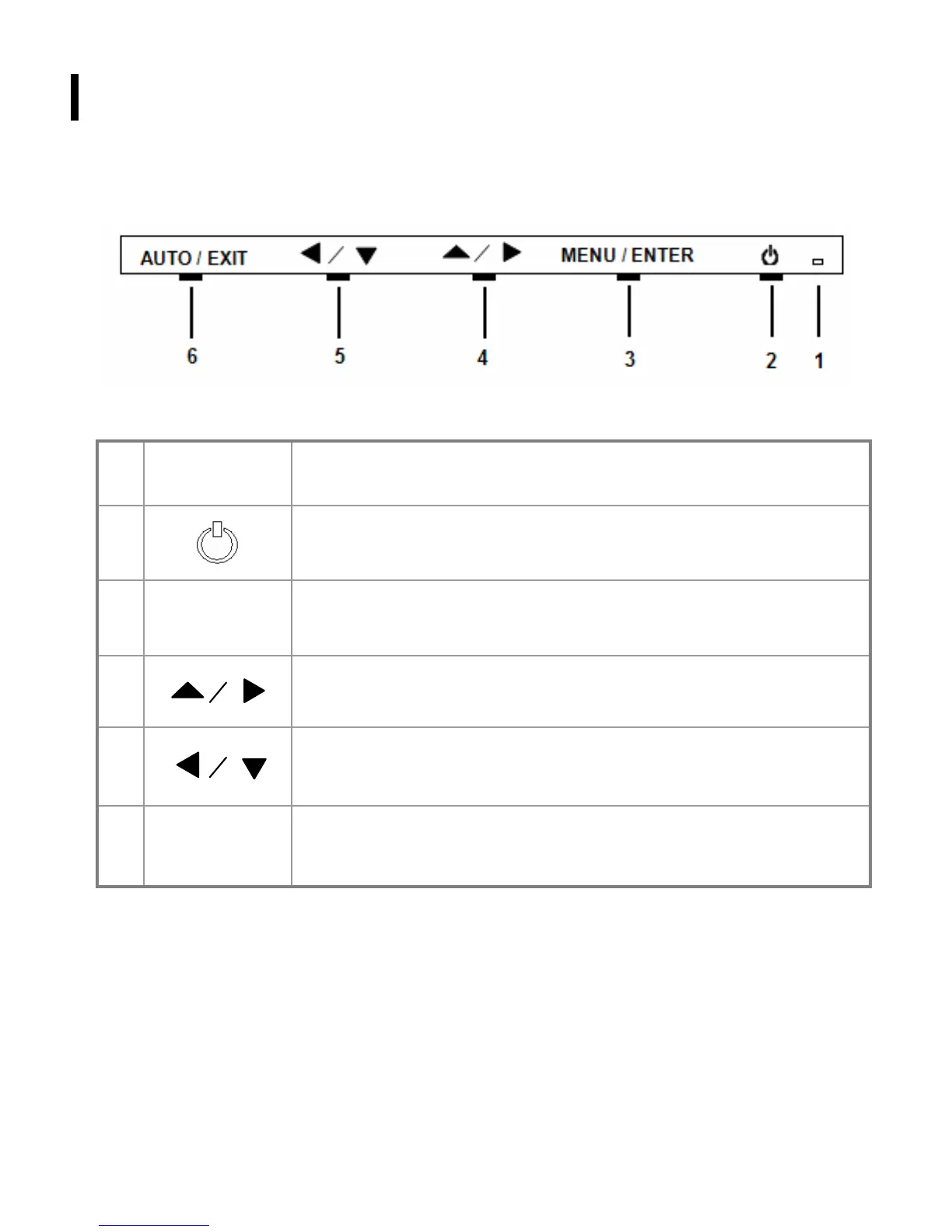
A brief description and the location of all LCD Monitor functions controls and indicators:
Figure 2-1
1
Power LED will be Green when monitor is on, be yellow when in power saving
mode, be dark when monitor in off mode.
2
Power ON/OFF switch. Push to power on or power off. (Toggle switch)
3
Menu/Enter
Shows main OSD menu/ Enter key (in OSD menu)/ Audio mute and unmute
( must activate Volume OSD first, push ▲ /
▶ then Menu/Enter)
4
Shows Volume OSD/ Moves right or up (in OSD menu)
5
Selects input source/ Moves left or down (in OSD menu)
6
Auto/Exit
Auto adjustment (in D-Sub input only)/ Exit OSD menu/ Exit (in OSD menu)



 To Next Page