10
Quick Installation
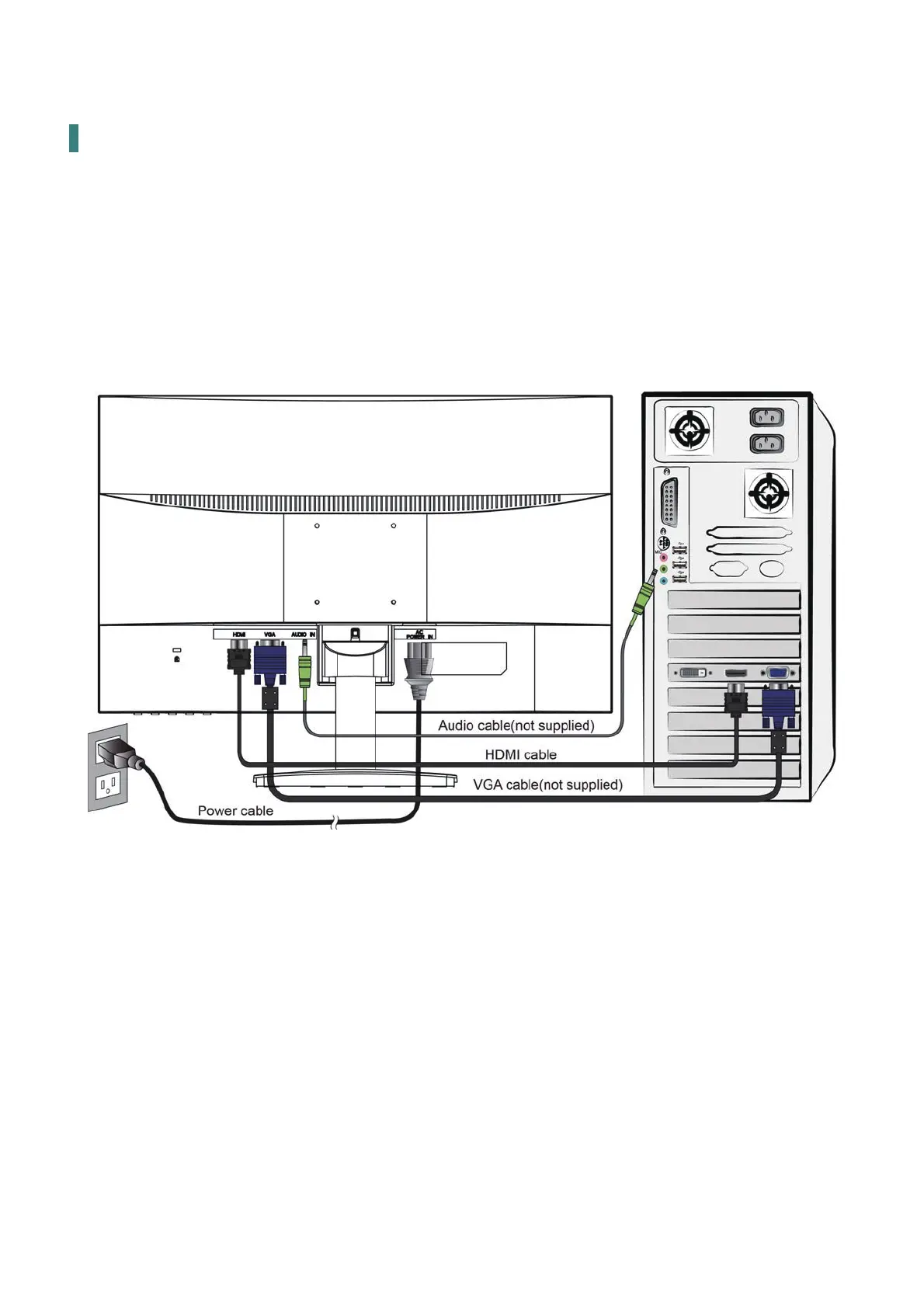
1. Connect either VGA or HDMI Video Source from the monitor to the computer. Make sure
both monitor and computer are powered OFF.
2. Connect the audio cable from audio output of computer to the audio input of the monitor.
3. Connect the power cord to a properly grounded AC outlet, then to the monitor.
4.
Power-ON computer and then POWER-ON the monitor.
5.
Set the timing mode on your computer. Recommended resolution and refresh rate is
1920 x
1080 @ 60Hz.
Figure 1:
PC


 To Next Page