7
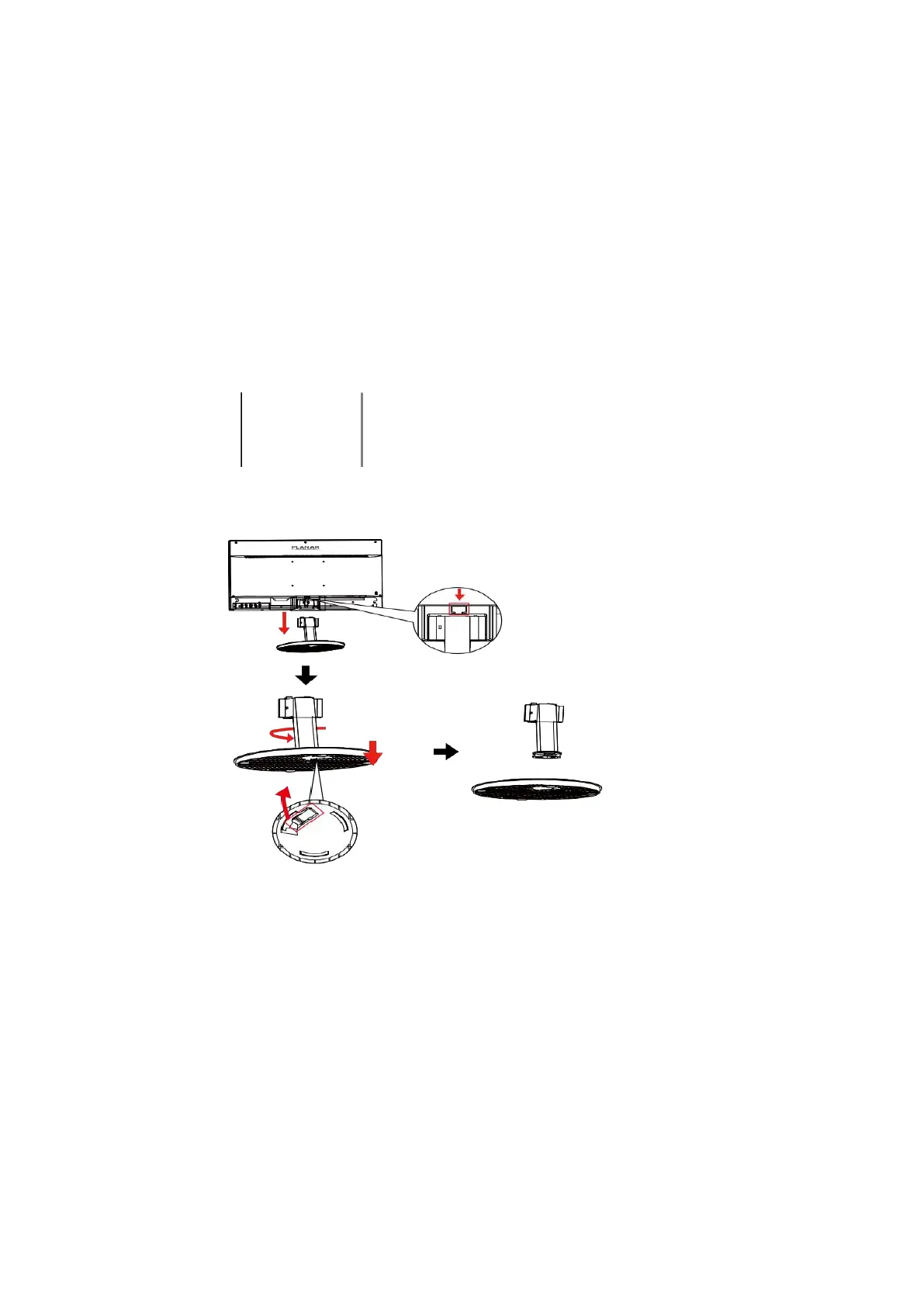
Disconnecting the Stand Base
1. Lay the LED LCD Monitor flat on a table with the LED screen face down. To prevent the
LED LCD Monitor from being scratched, put a piece of soft cloth on the table on which
the screen will be set.
2. Press the release button and pull away the monitor to remove the stand from the monitor.
3. Pull the release lever and turn counter-clockwise to remove base from stand.
Pull release
lever



 To Next Page