13
OSD Menu
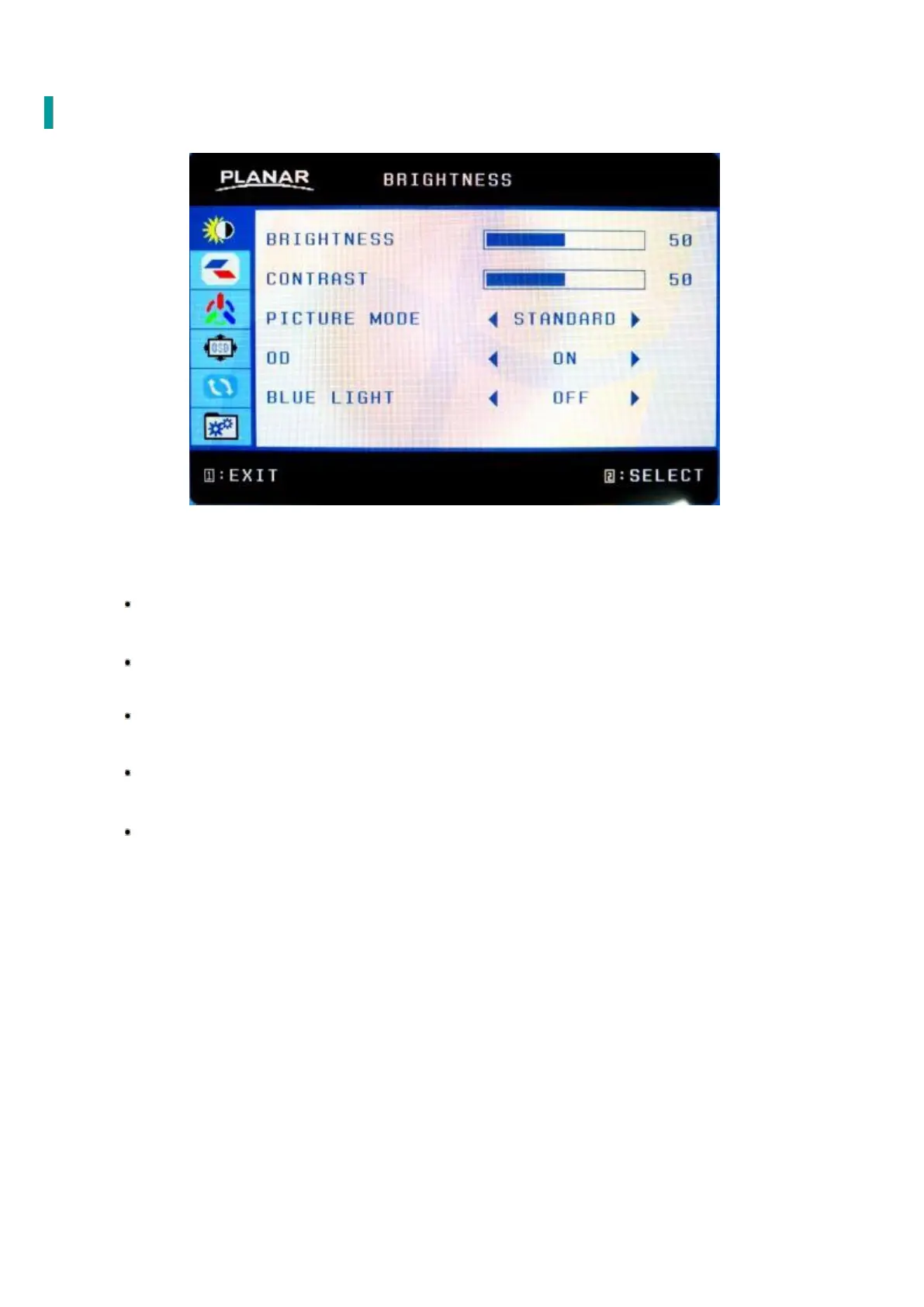
BRIGHTNESS
BRIGHTNESS: Adjust backlight levels
Adjust between 0-100.
CONTRAST: Adjust contrast levels
Adjust between 0-100.
PICTURE MODE : Select from preset modes
Standard, Movie, Game, Text.
OD: Turn Overdrive on or off
ON/OFF.
BLUE LIGHT: Reduces blue light
OFF: Video (15% reduction), Web Browsing (30% reduction),
Reading (50% reduction),Low Light(70% reduction).



 To Next Page