Operating the Display
Planar PS Series 4K Displays User Manual
020-1384-00C
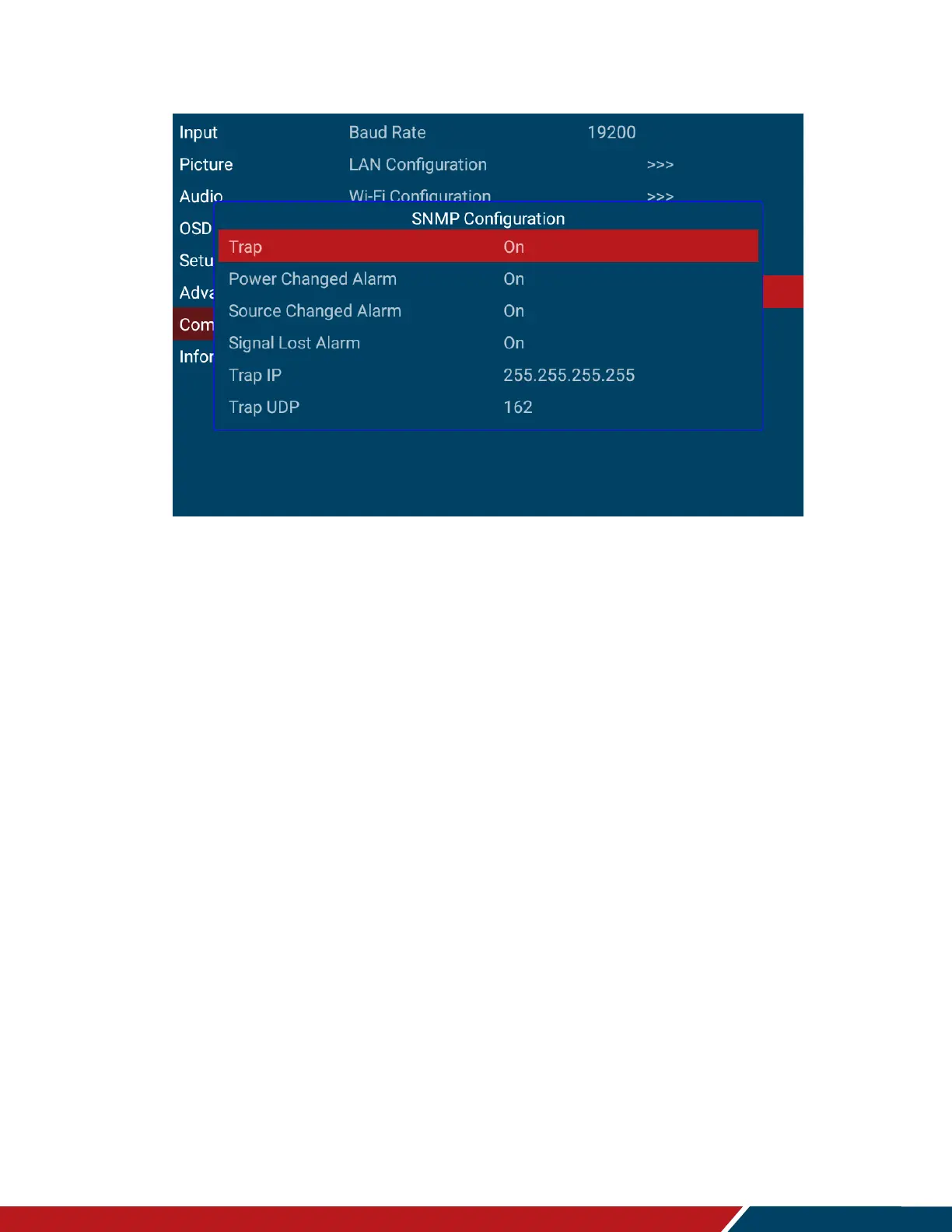
Configure the Simple Network Management Protocol (SNMP) settings
Trap
。 Enable and configure the Trap communication
。 Options: On, Off
。 Default:
Power Changed Alarm
。 Enable the power changed alarm
。 Options: On, Off
。 Default: On
Source Changed Alarm
。 Enable the source changed alarm
。 Options: On, Off
。 Default: On
Signal Lost Alarm
。 Enable the signal changed alarm
。 Options: On, Off
。 Default: On
Trap IP
。 Specify the destination IP address for the SNMP trap receiver
。 Default: 255.255.255.255
Trap UDP
。 Specify the UDP port for SNMP trap receiver connections
。 Default: 162



 To Next Page