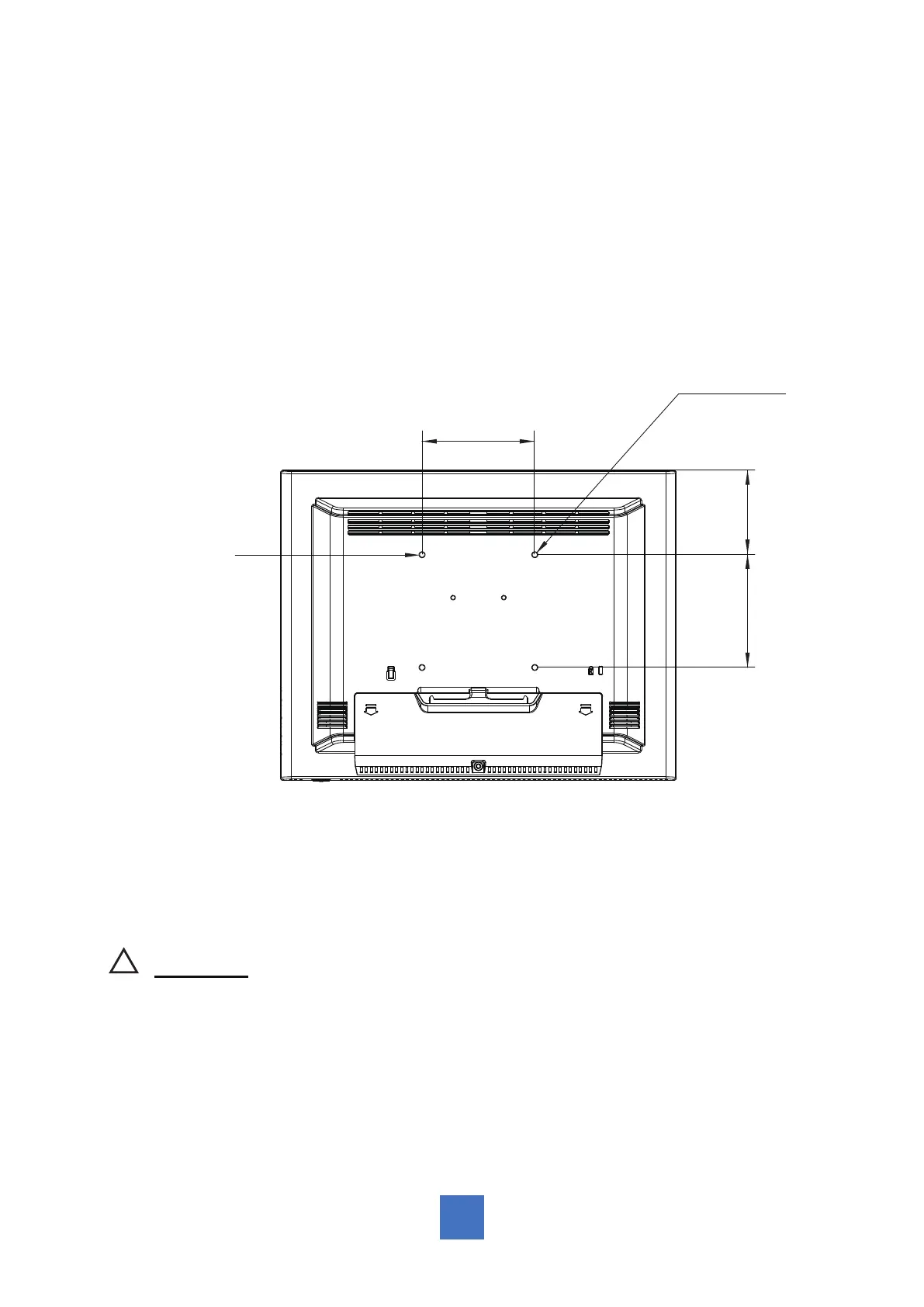
VESA Mount Your Monitor
This monitor conforms to the VESA Flat Panel Mounting Physical Mounting Interface standard
which denes a physical mounting interface for at panel monitors, and corresponding with
the standards of at panel monitor mounting devices, such as wall and table arms. The VESA
mounting interface is located on the back of your monitor.
To mount the monitor on an UL-listed swing arm or other mounting xture, follow the
instructions included with the mounting xture to be used.
VESA
Mounting
Interface
100.0 mm
Slots (x4)
100.0 mm 75.0 mm
!
Warning!
Please select the proper screws!
The distance between the back cover surface and the bottom of the screw hole
is 11 mm. Please use four M4*16 screws diameter with proper length to mount
your monitor.
Please note: the mounting stand must be able to support at least 11 lbs ( 5Kg).
7



 To Next Page