10
Connecting the Display
NOTE
‘ Self Image Setting Function’? This function provides the user with optimal display
settings.When the user connects the monitor for the first time, this function automatically adjusts
the display to optimal settings for individual input signals.
‘AUTO/SET’ Function? When you encounter problems such as blurry screen, blurred letters,
screen flicker or tilted screen while using the device or after changing screen resolution, press
the AUTO/SET function button to improve resolution.
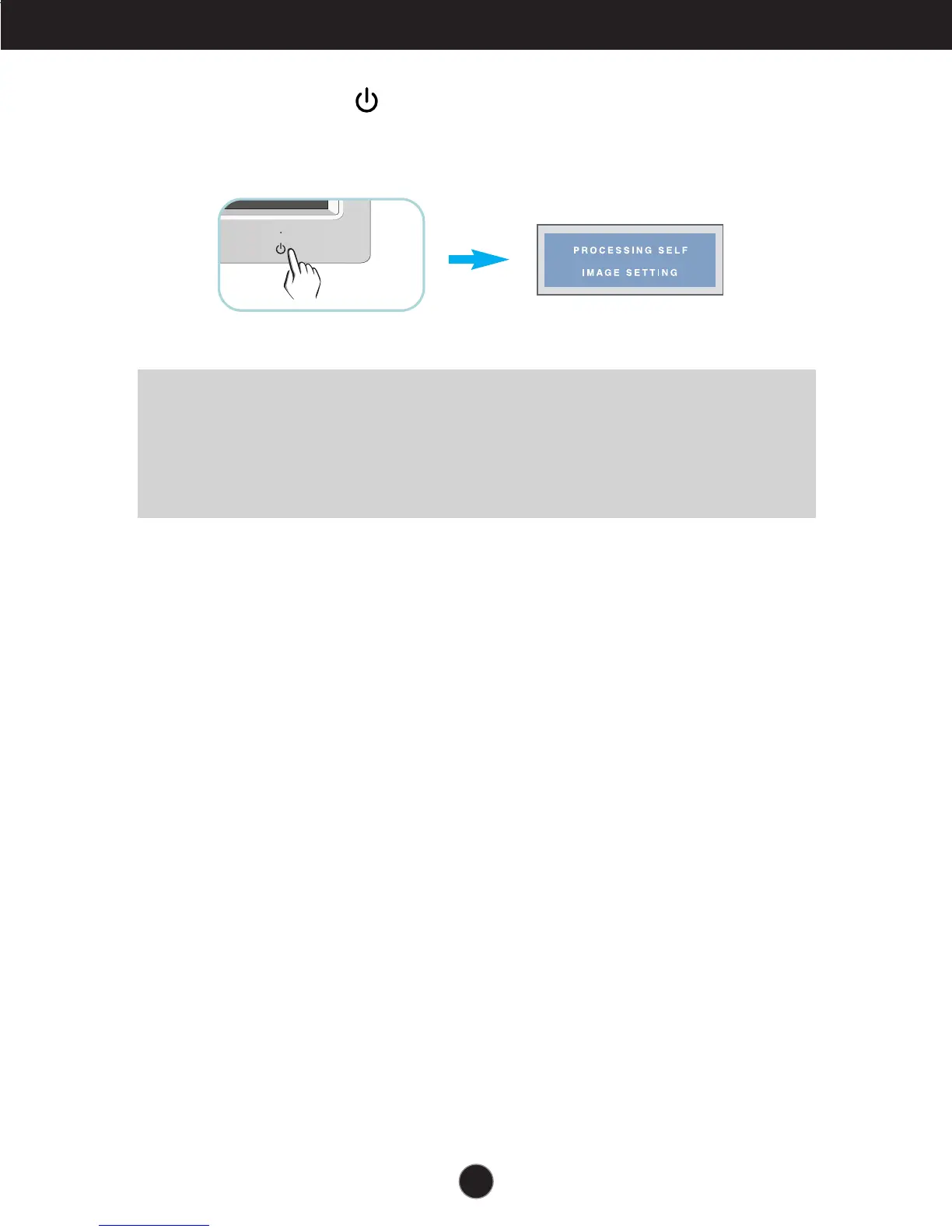
3. Press the Power Button ( ) on the front panel to turn the power on. When monitor
power is turned on, the 'Self Image Setting Function' is executed automatically.
(Only for DVI-I analog signal cable input)


 To Next Page