5
Connecting the Display
Before setting up the monitor, ensure that the power to the monitor,
the computer system, and other attached devices are turned off.
Connecting the stand base or Removing the stand base
1
.
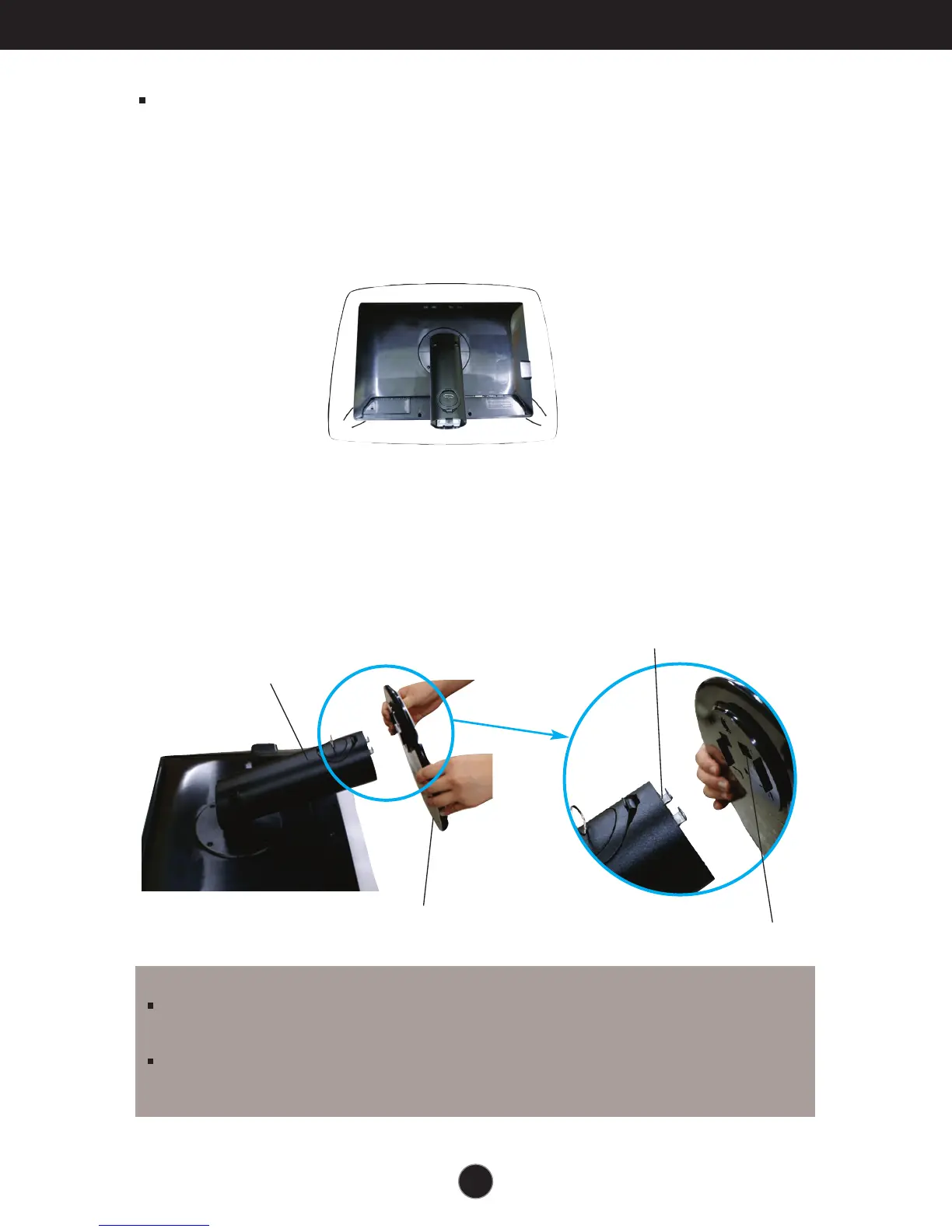
Place the monitor with its front facing downward on a cushion or soft cloth.
2. Align the hooks on the Stand Body with the matching slots in the Stand Base.
3. Insert the hooks into slots.
Slot
Stand Base
Hook
Stand Body
WARNING
The tape and locking pin may only be removed from those monitors equipped with a standing
base when the base is pulled up. Otherwise, you may be injured by the protruding sections of
the stand.
Handle Product with Care. : When you lift up or move the product, Do Not hold or touch the
front part of LCD panel. It will damage the panel. (Please hold the Stand Body or plastic cover of
the product.)


 To Next Page