14
Connecting the Display
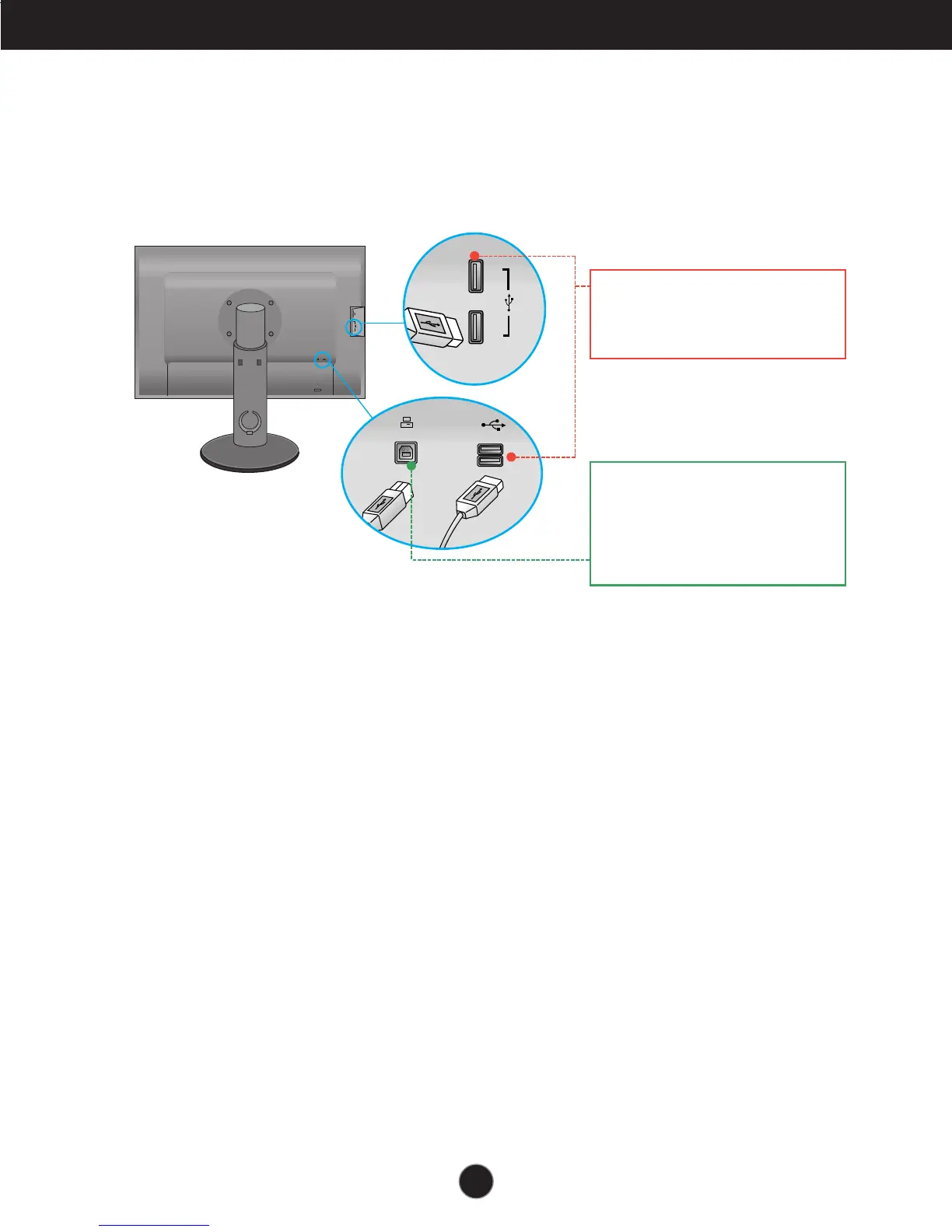
Connecting the USB(Universal Serial Bus) Cable
1. You can use the USB port at the back of the monitor to connect peripherals (USB
mouse, USB keyboard, etc.) to the monitor, not to the computer.
2.
The monitor’s USB terminal supports USB 2.0 and High Speed cables.
Four USB Downstream ports
Connect these ports to a mouse,
memory stick or USB hard disk.
One USB Upstream port
Connect this port to the downstream
port of a computer, laptop or USB
monitor (Your computer or USB
monitor must support USB and have
USB ports).


 To Next Page