13
Connecting the Display
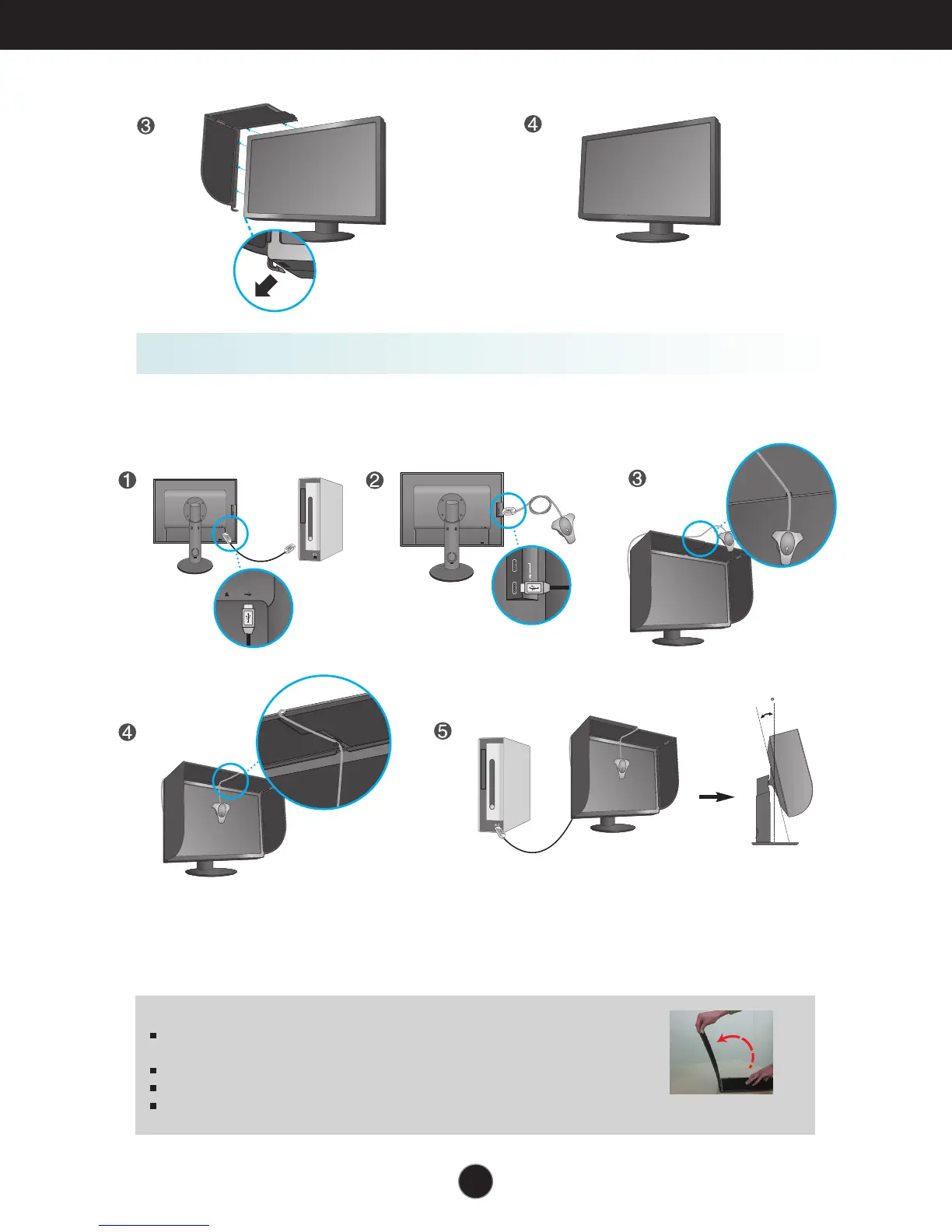
Connecting the Calibrator(Spyder3)
(optinal accessory)
1. Connect the Calibrator(Spyder3) to the monitor as shown below. Tilt the monitor to maximum of
16° to the rear to use the Calibrator (Spyder3).
NOTE
Do not put excessive pressure on the monitor hood when fitting. It may
damage the hood.
Do not put any objects on the hood.
With the hood installed, do not shake it or rotate the screen(Pivot).
The Calibrator (Spyder3) may not be provided for some models.
13
12
10
9
8
11
16


 To Next Page