C S 3
19
INTRODUCTION
TOURN AMEN T LO CK BUTTON
FIG.1
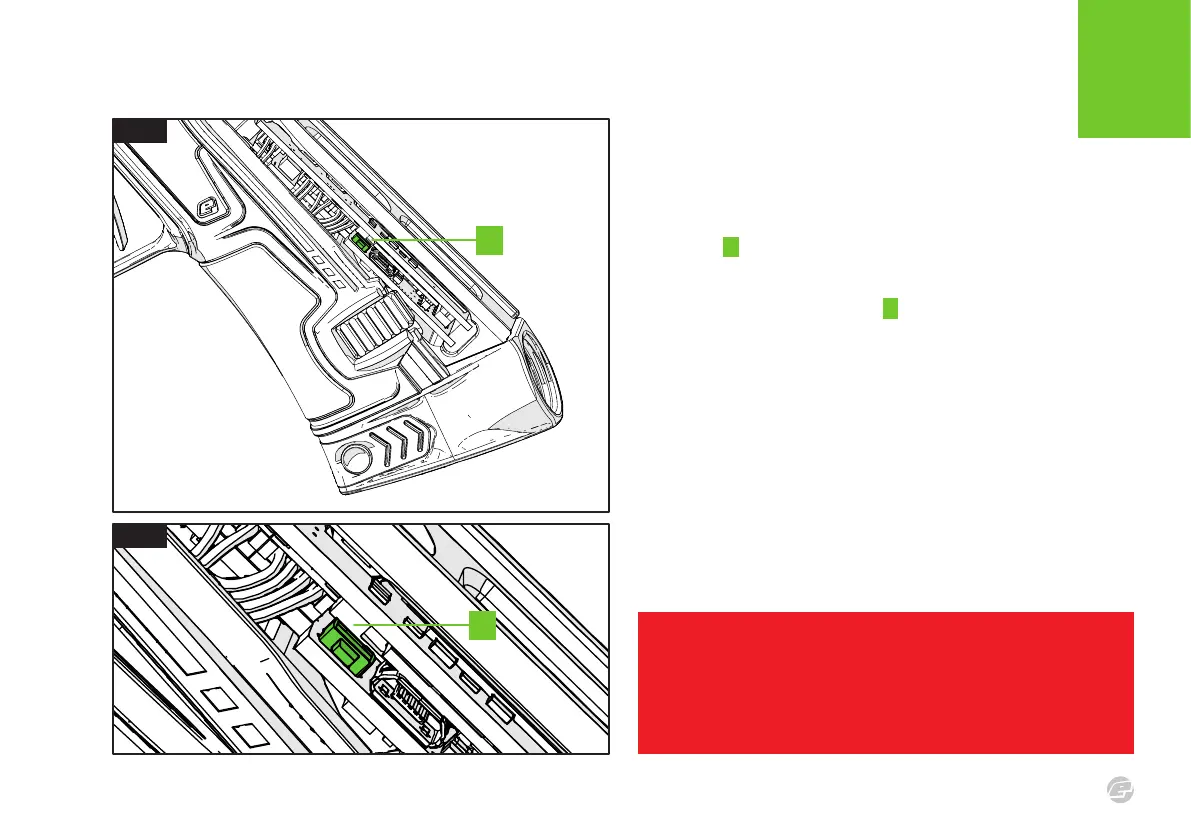
Remove the rear grip as shown on page 16 to access the tournament
lock button A on the left side of the frame.
FIG.2
Push the tournament lock button A to toggle the tournament lock
state – which will be displayed on the OLED screen. See page 13 for
lock state information.
Many of the marker features and settings require the tournament
lock state to be set to UNLOCK.
FIG.1
FIG.2
A
A
WARNING!
Always make sure that the marker is OFF with a barrel blocking device installed and
that no paintballs are in the marker or loader before changing the tournament lock
state to avoid accidentally firing the marker.















 To Next Page