ELECTRONICS
US ER INT E RFA CE
C S 3
36
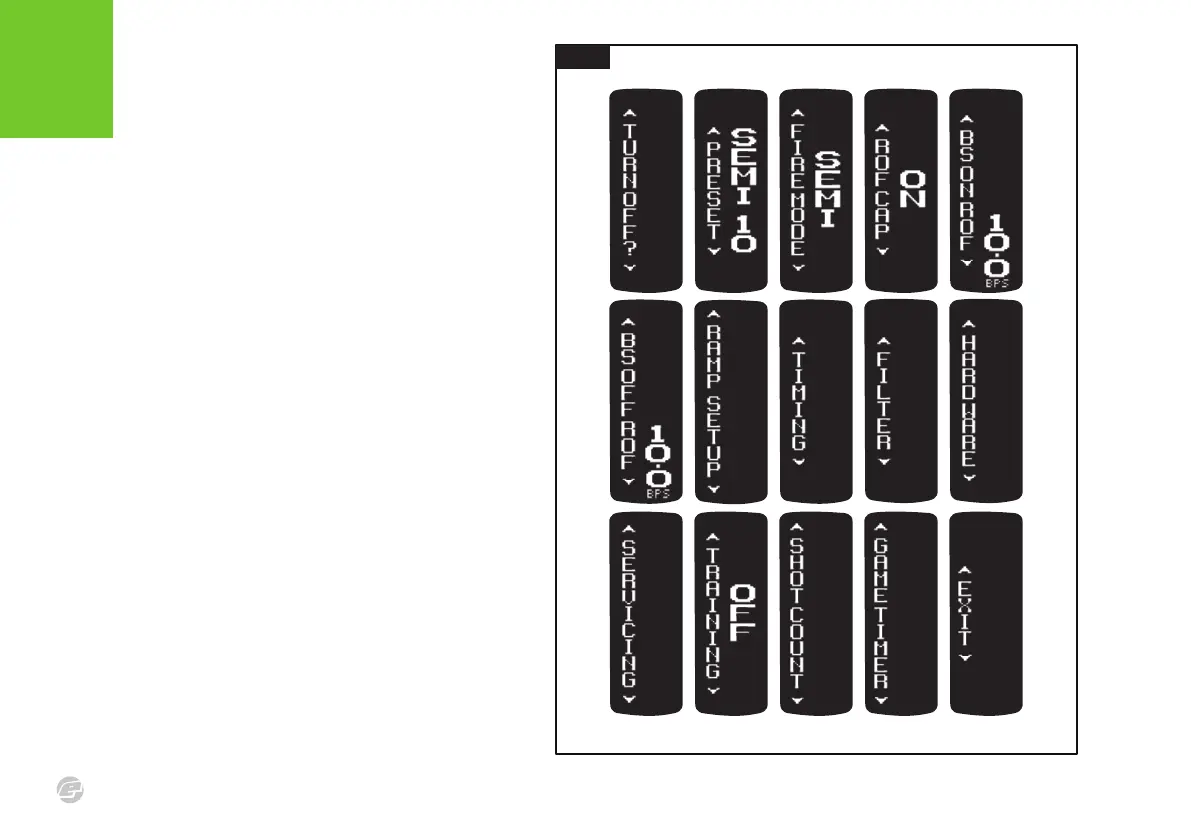
FIG.1
To access the settings menu, switch the
marker on and then push and hold the
Select button until the TURN OFF? menu
item is displayed. Double-clicking will also
access the menu if enabled.
The top level menu shown opposite shows
all the available menu items, each having
their own tiered adjustable parameters. See
pages 54-58 for a complete menu tree.
The availability of some menu items is
dependent upon the setting of other
parameters (e.g. the RAMP SETUP menu is
only available when FIRE MODE is set to
RAMP).
Select BACK to return to the previous menu
level. Select EXIT to leave the settings menu.
Select TURN OFF? to turn off the marker.
The layout and parameters shown in this manual are
correct at the time of printing.
FIG .1















 To Next Page