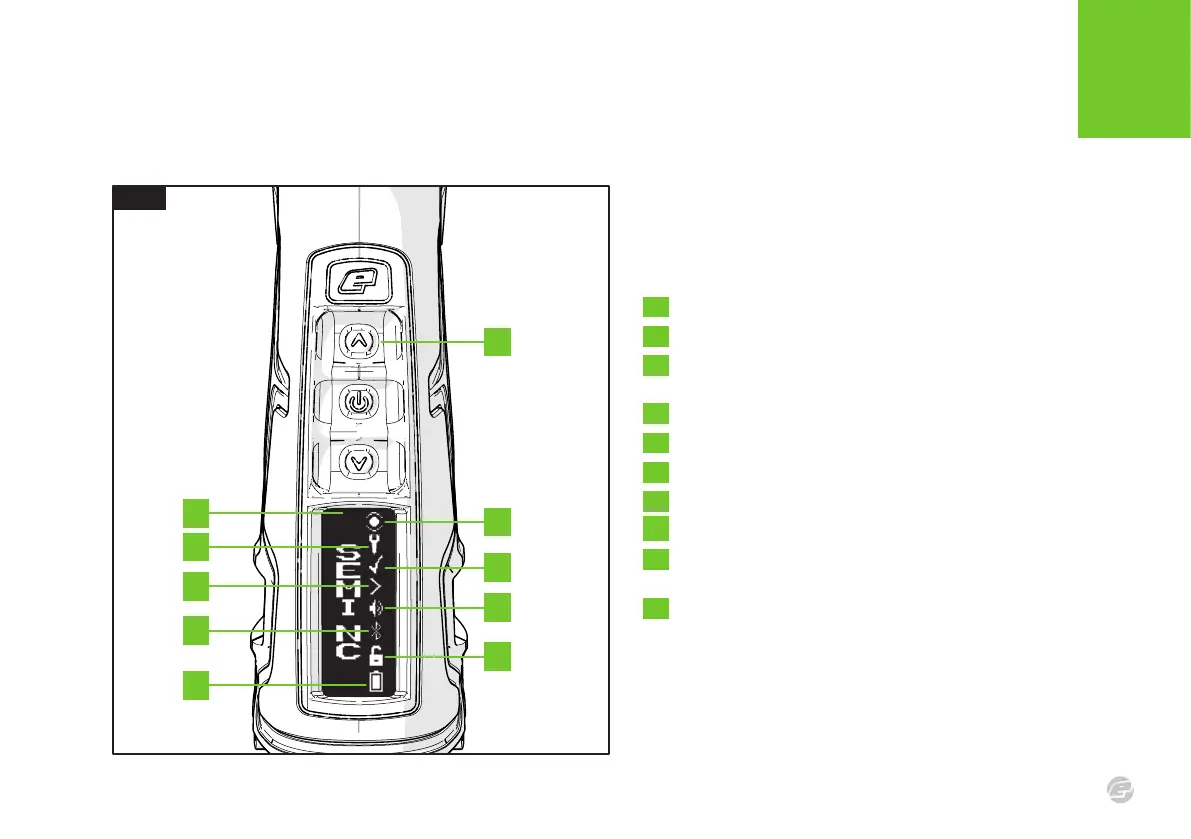
FIG.1
C S 3
09
INTRODUCTION
US ER INT E RFA CE
A
FIG.1
Once powered-up a run screen will be displayed. There are a number
of run screens and, with the exception of the Splash screen, they all
have the same layout.
A Tap Up to cycle through the run screens.
B Run screen specific information.
C The breech sensor (BS) indicator.
See page 10 for BS indicator states.
D The service indicator.
E Factory preset indicator.
F The trigger detection indicator.
G The sound indicator.
H The Bluetooth
®
indicator.
I The tournament lock indicator (to toggle the tournament
lock see page 19).
J The battery level indicator (see page 13).
C
E
G
I
B
D
F
H
J















 To Next Page