Note
If you do not see ANY unit in the device status but the Powerline
device does exist, try to unplug all devices and plug them back.
Meanwhile, please make sure the cable is the right type and working
correctly. If all seems to be correct, and you still receive nothing in
the Device window, try rebooting your computer.
Part 2: Detect the Network Powerline device
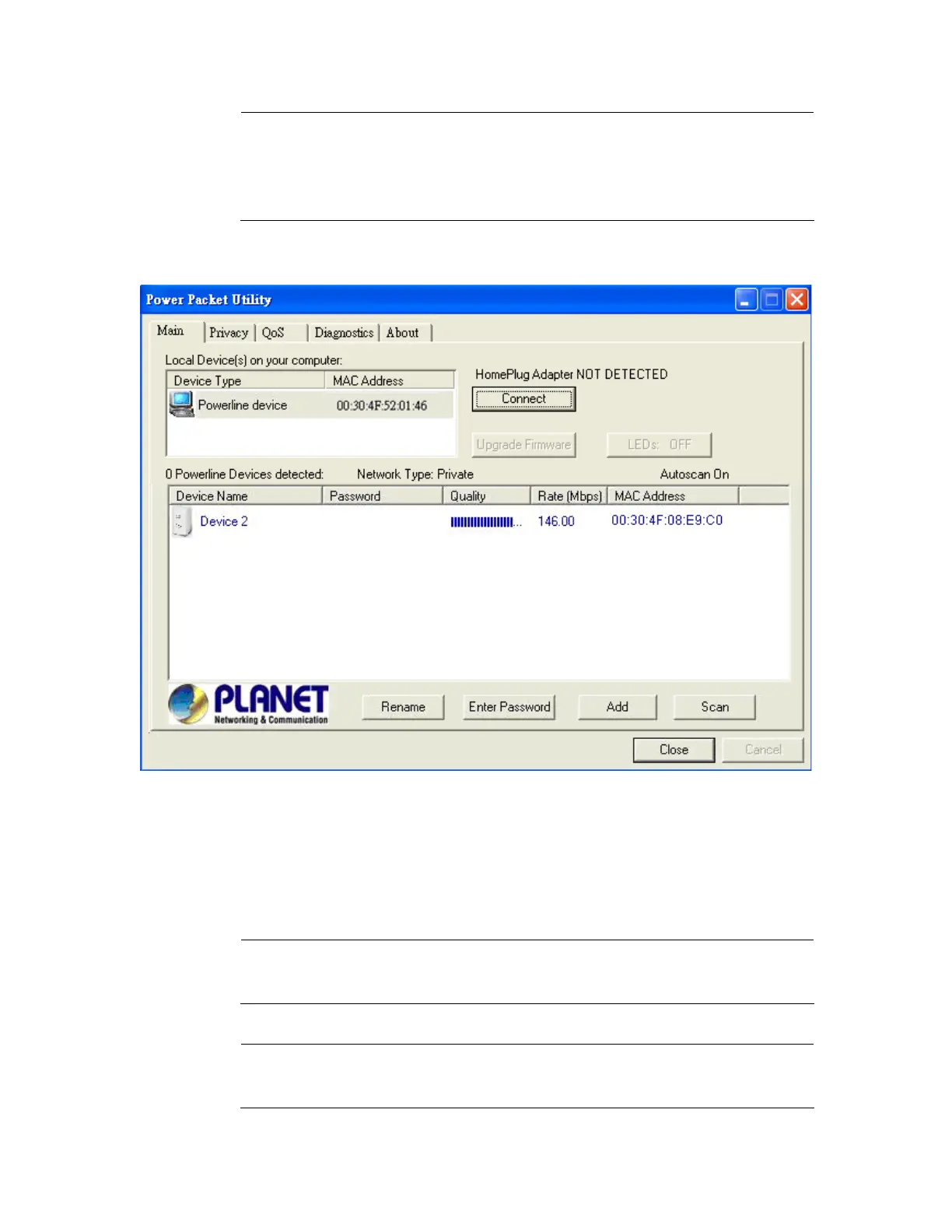
The Main tab shows all the other Powerline units on your home network. It will
represent them by MAC Address, and will also show the available bandwidth to
each unit (Units farther away from another Powerline device might have a lower
Data Rate). If you add or remove units from your home network, click the “Scan”
button to re-scan the network, and refresh with any changes.
Note
Only units with the same Network Password will be shown,
(Password case sensitive).
Note
If a unit shows MAC Address of all 0’s, this unit might not have a
solid connection, or might not connect at all.
15



 To Next Page