17
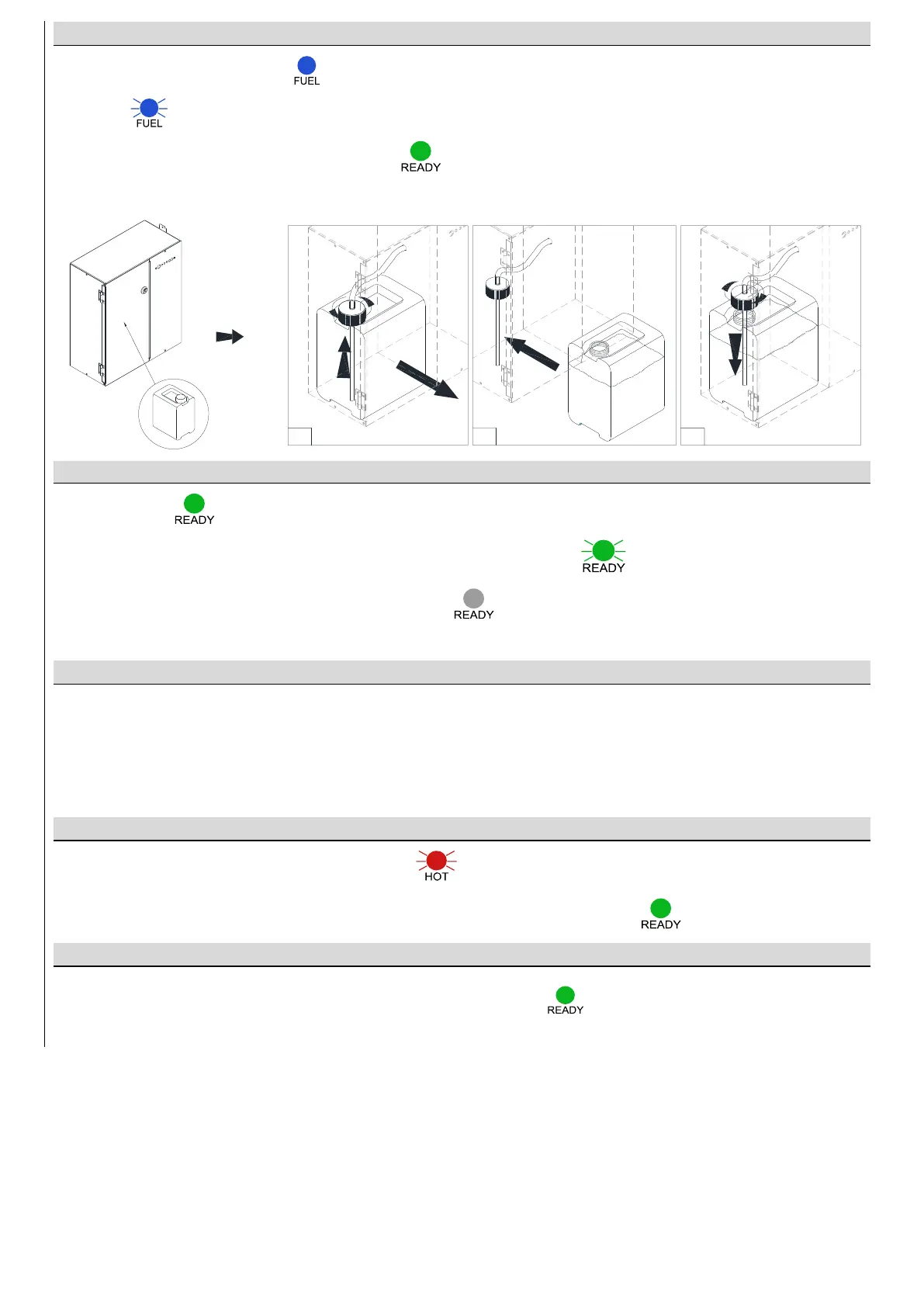
REPLACING FUEL CONTAINER
1. If the fuel container is empty ( ), unscrew the cap with the pumping hose and remove the container from the
holder ( ) (I).
2. Insert a full fuel container with a cap removed ( ) (II).
3. Screw the cap with the pumping hose back on (III).
FLAME IGNITION
The green diode indicates that the device is ready to ignite the flame.
Press and hold START for 3 seconds. Flame ignition will take 2-10 minutes ( ). The smell of ethanol vapours
can be present during the ignition. The diode READY off ( ) indicates that the flame has been ignited
and the device reached the working temperature.
FLAME HEIGHT REGULATION
After 3 min, press ECO to lower the flame (two sound signals). Press ECO again to increase the flame height (one
sound signal).
ATTENTION! In case the device temperature is too high, the flame will be automatically lowered (ECO) and the height
regulation blocked. If the temperature keeps increasing, the device will be turned off.
FLAME EXTINGUISHING
Press STOP to extinguish the flame (sound signal + ).
You can ignite the flame again when the device is cooled – the green diode READY ( ).
FAST START
The FAST START offers faster flame ignition (when the device is ready ( ), the power consumption is 60 W higher).
The function is enabled by default.
To disable FAST START, press and hold ECO for 10 seconds (four sound signals). To enable the function, press
and hold ECO for 10 seconds (two sound signals).


 To Next Page