2
ContentsContentsContents
Welcome 3
System Requirements 3
Computer 3
Adapter and Headset Basics 5
Adapter 5
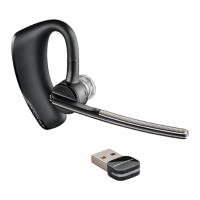
Headset 5
Stowing the headset 5
Headset Controls 6
Headset Controls and Indicators 7
Fit your Headset 8
Fitting the Headset 8
Quick-turn Adjustment for the left ear 9
Accessories and replacement parts 9
Charging Headset 9
Charge Indicator Lights 9
Connect PC and Call 10
USB Adapter set-up 10
USB Adapter LED indicators 10
Make a Call 10
To Re-Pair your Bluetooth Adapter 11
Use Your Headset with Lync/Microsoft Office Communicator 12
Powering Headset On/Off 12
Placing, Answering, and Ending Calls with
Lync/Microsoft Office Communicator 12
Muting Headset During a Call 13
Pair Mobile Phone and Call 14
Placing a Call with your Headset and Bluetooth Mobile Phone 15
Answering and Ending Calls with your Headset
and Bluetooth Mobile Phone 15
Advanced Features 16
Smart Sensor Features 16
Low Battery Warnings 17
Call Button Behavior with PC and Mobile Connected (not on a call) 17
Listening to Audio via A2DP
(Advanced Audio Distribution Profile for Bluetooth) 17
Transmission Range 17
Simultaneous Call Handling Behavior (PC & Mobile) 17
Optional Plantronics Software 19
Plantronics Control Panel 19
Plantronics Update Manager 21
Troubleshooting 22
Troubleshooting — Lync/Microsoft Office Communicator Usage 22
Troubleshooting — Mobile Phone Usage 23






 To Next Page