9
TIPS
8
TIP
1) When the phone is in the standby mode,
press MENU/MUTE.
2) Press
▲ or ▼ to
move the pointer
to “Ringer Volume”,
then press SELECT/CH.
3) Press
▲ or ▼ to move the pointer
through the ringer settings (Ringer Off,
Ringer Low, or
Ringer High).
You will hear a
ringer or melody
at the selected volume (or does not ring
when you select “Ringer Off”).
4) Press SELECT/CH, and you will hear
a confirmation tone.
5) Press END to exit.
You can temporarily mute the ringer tone.
When the remote is off the base and the
phone is ringing, press END. The ringer
tone will return to the previous setting
starting with the next incoming call.
RINGER VOLUME SETUP
If you select
“Ringer Off”,
<Ringer Off>
appears on the
display when you
make or receive
calls, or when
charging the
remote.
REDIALING A CALL
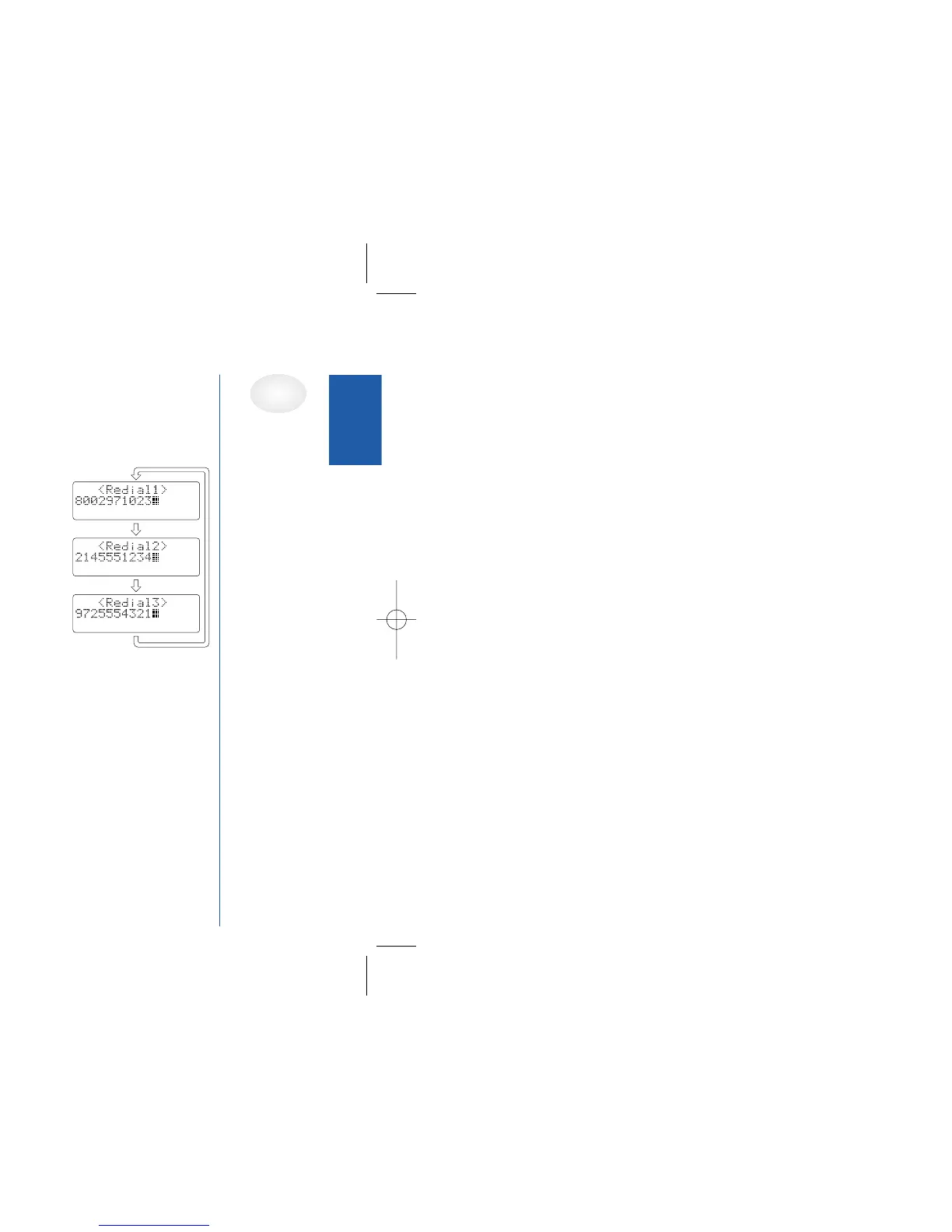
The last three phone numbers dialed can be
quickly redialed.
REDIALING FROM STANDBY
MODE
1) Press PAUSE/
REDIAL. The
phone number
that was last
dialed appears
on the display.
2) Press PAUSE/
REDIAL again.
Each press of
PAUSE/REDIAL
will display one
of the last three
numbers
dialed.
3) Press TALK/FLASH. The selected number
is dialed.
4) Press END to hang up.
REDIALING FROM
TALK M
ODE
1) Press TALK/FLASH.
2) Press PAUSE/REDIAL. The last number
dialed will be displayed and redialed.
3) Press END to hang up.



 To Next Page