3
CONNECT TO YOUR PHONE
“Pairing” is the set-up
process of introducing your
headset to your phone.
Before using your headset
for the first time, you must
pair it with your Bluetooth-
enabled phone.
”Multipoint” lets you pair this
headset with two phones so
you can answer a call from
either phone.
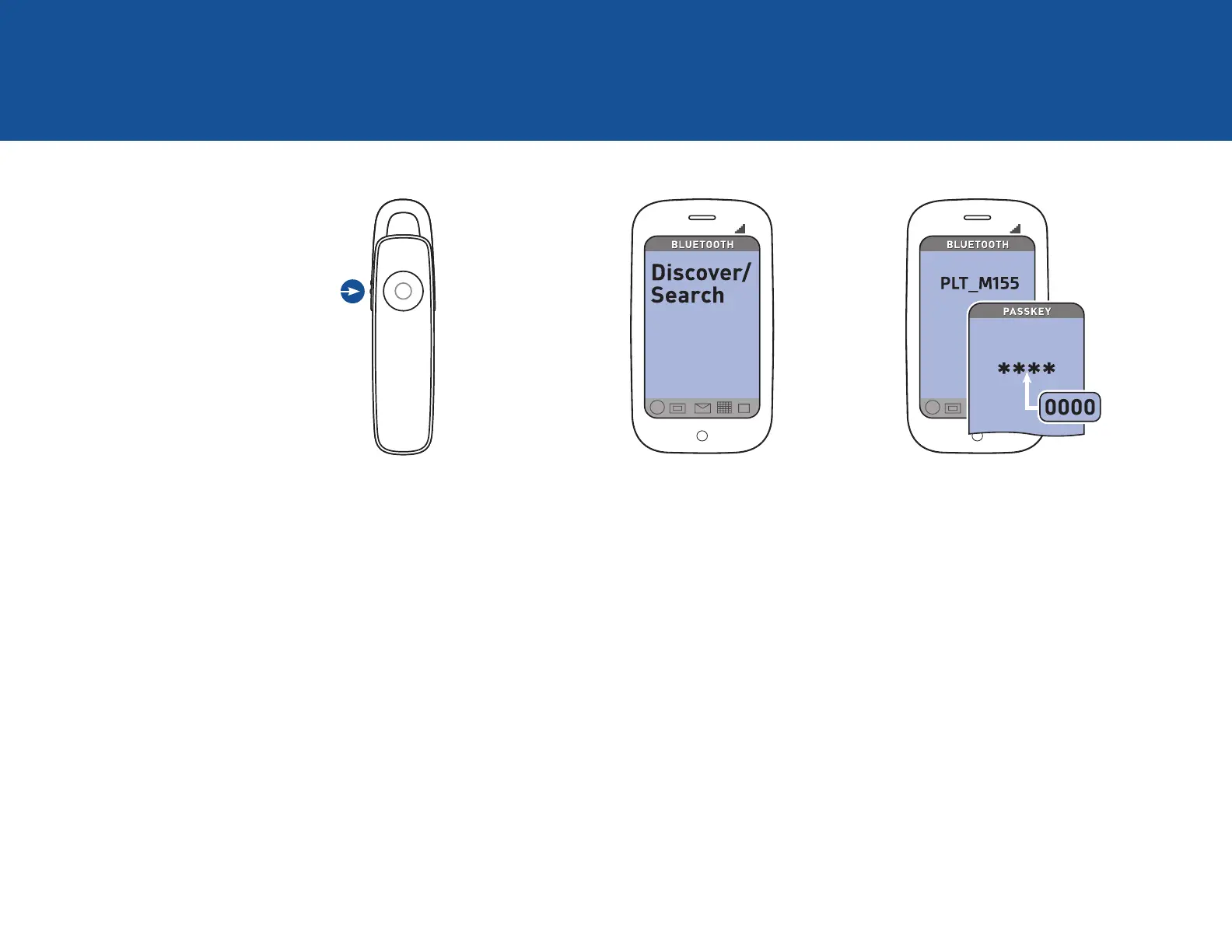
1. READY
Firsttime,rightoutofthebox:
Slide the power switch to turn the
headset on. The LED flashes red/
white to indicate pairing mode.
Pairneworsecondphone:
Turn on headset. Press Call button
until the LED flashes red/white for
pairing mode.
2. SET
Activate the Bluetooth feature
on your phone, then use phone
menus to “add,” “search” or “scan”
new Bluetooth devices.
Phoneshavedifferentmenusto
selectfrom,forexample:
iPhone: Settings > General >
Bluetooth > On (starts the search
for devices)
BlackBerry®smartphone: Settings/
options > Bluetooth: On > Search
for devices
Android
™
: Settings > Wireless &
Networks > Bluetooth: On > Scan
for devices.
3. CONNECT
Select “PLT_M155” from the list of
Bluetooth devices shown on your
phone.
If phone asks for a passcode, enter
four zeros (0000). You may see
**** on screen.
Some phones also ask to confirm
headset connection after pairing.
Headset LED will stop flashing red/
white once successfully paired/
connected.
You can now make a call using
your phone’s keypad or voice-
dialing feature.




 To Next Page