
 Need help?
Do you have a question about the Plantronics Poly Calisto 3200 and is the answer not in the manual?
Connect via USB for power; indicator light signals status. Note: Calisto 5200 has battery, Calisto 3200 does not.
Use the call button to answer incoming calls or end active calls.
Press the mute button to toggle microphone on/off during calls. Settings available in Plantronics Hub.
Adjust the speakerphone volume using the dedicated up (+) or down (-) buttons.
Use the Teams button for interaction with Microsoft Teams when the app is installed.
Activate music mode by holding the mute button for 4 seconds to enhance listening experience.
Mix audio from USB and 3.5mm connections for a simultaneous listening experience.
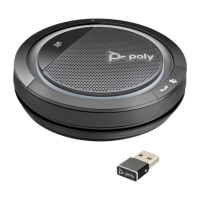
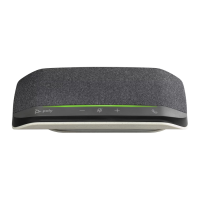
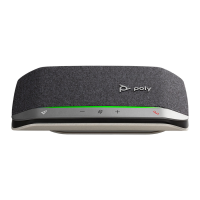
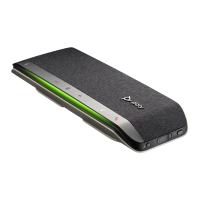
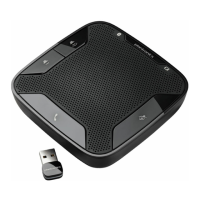
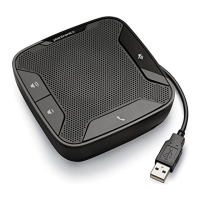
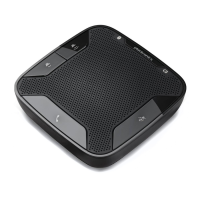
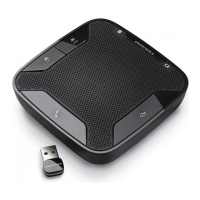
The Calisto 3200/5200 is a corded speakerphone designed for clear audio communication and media playback, offering versatile connectivity options for various devices. This user guide provides a comprehensive overview of its features, setup, and daily use, ensuring an optimal experience for both professional and personal applications.
The Calisto 3200/5200 speakerphone serves as an external audio device that enhances the sound quality of calls and multimedia content from your computer, tablet, or mobile phone. It integrates essential controls directly on the device, allowing for easy management of calls, volume, and mute functions. The speakerphone is designed to provide a rich audio experience, making it suitable for conference calls, online meetings, and listening to music.
The device features a built-in speaker and microphone array, optimized for 360-degree audio pickup, ensuring that all participants in a meeting can be heard clearly, regardless of their position around the speakerphone. Its corded design ensures a stable and reliable connection without the need for battery management during use, except for the Calisto 5200 model which includes battery features for mobile use.
A key differentiator between the two models is their connectivity and power options. The Calisto 3200 is primarily a USB-powered device, designed for use with computers, while the Calisto 5200 extends its versatility with a 3.5mm cord, allowing connection to tablets and mobile phones, and incorporates battery status indicators for mobile usage. Both models are designed to be plug-and-play, minimizing setup time and allowing users to quickly integrate them into their existing communication setups.
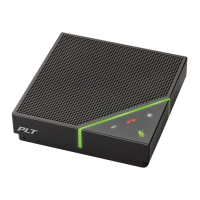
For users of Microsoft Teams, a dedicated button is included on Teams models, providing quick access to Teams functionalities, streamlining workflows for those who frequently use the platform. This integration highlights the speakerphone's focus on modern communication tools and environments.
Connectivity: The Calisto 3200/5200 offers straightforward connectivity. For computer use, simply plug the USB cable from the speakerphone into an available USB port on your computer. The speakerphone will automatically power on, and an indicator light will illuminate white, signifying a successful connection and power supply.
The Calisto 5200 model further expands connectivity by including a 3.5mm cord. This allows users to connect the speakerphone to tablets or mobile phones, providing flexibility for calls and media playback on a wider range of devices. When connected via 3.5mm, the speakerphone can be used to play music or handle call audio from the mobile device.
Call Management: Managing calls is intuitive with the dedicated Call button. Pressing this button allows you to answer an incoming call or end an active call, providing quick control over your conversations without needing to interact with your connected device's interface.
Mute/Unmute Functionality: During an active call, the Mute button provides instant privacy. Pressing it mutes the microphones, preventing your voice from being transmitted to other participants. Pressing it again unmutes the microphones. The mute settings can also be managed through Plantronics Hub software, offering additional customization.
Volume Control: The speakerphone features easily accessible Volume up (+) and Volume down (-) buttons. These allow you to adjust the listening volume to your preferred level, ensuring comfortable audio during calls or media playback.
Microsoft Teams Integration (Teams Models Only): For users with Teams models, a dedicated Microsoft Teams button simplifies interaction with the Microsoft Teams application. When not on a call, pressing this button can activate various Teams functionalities, such as bringing the Teams window to the foreground or initiating a meeting. It's important to note that the Microsoft Teams app must be installed on your connected device for this feature to work.
Music Mode (Calisto 5200 Model Only): The Calisto 5200 offers a specialized music mode for an enhanced listening experience when connected via the 3.5mm connector. To activate music mode, press and hold the mute button for 4 seconds. This optimizes the speakerphone's audio profile for music playback. To switch back to call mode before making or receiving calls, simply tap the mute button.
Audio Mixing: A unique feature of the Calisto 5200 is its ability to mix audio from both USB and 3.5mm connections. To utilize this, one call (either USB or 3.5mm) must already be active. Then, plug in the other connection to a separate device. The audio from both sources will mix and sync, creating a combined audio experience similar to a 3-way call, which is particularly useful for complex communication scenarios or collaborative listening.
Powering On/Off: For the Calisto 5200, if the speakerphone does not automatically power on when plugged in, you can manually power it on by pressing and holding the call and mute buttons simultaneously for 4 seconds. Repeating this action will power off the device. The Calisto 3200, being USB-powered, typically powers on automatically when connected to a computer.
Battery Status (Calisto 5200 Model Only): The Calisto 5200 provides clear indications of its battery status through voice prompts and the indicator light.
The Calisto 3200/5200 is designed for low maintenance. Its corded nature eliminates the need for wireless pairing or frequent battery charging (for the Calisto 3200). For the Calisto 5200, the battery status indicators help users anticipate when charging might be needed, ensuring the device is always ready for mobile use.
Regular cleaning with a soft, dry cloth is recommended to keep the device free from dust and debris, maintaining its aesthetic and functional integrity. Avoid using harsh chemicals or abrasive materials, as these could damage the speakerphone's surface or internal components.
Firmware updates, if available, can be managed through Plantronics Hub software, ensuring the speakerphone operates with the latest features and performance enhancements. This proactive approach to software maintenance helps extend the lifespan and utility of the device.
The robust construction of the speakerphone is designed to withstand daily use, making it a reliable tool for both office and remote work environments. Its compact and portable design also contributes to ease of handling and storage, further simplifying its maintenance and care.
 General
| Type | Speakerphone |
|---|---|
| Speakerphone | Yes |
| Microphone | Yes |
| Wireless | Yes |
| USB | Yes |
| Speaker | Yes |
| Noise Cancellation | Yes |
| Connectivity | USB |
| Connectivity Technology | Wired |
| Compatibility | PC, Mac, Mobile Devices |
| Cable Length | 1.5 m |


 To Next Page