4
MIX AND MATCH FOR BEST FIT
1
2
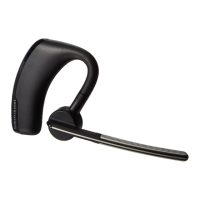
The headset comes with the medium eartip installed
but you can replace it with the optional small or large
eartip provided.
Removingtheeartip:
1. Grip the eartip and gently push it into the speaker
housing then rotate it a quarter turn to the left
to unlock.
2. Pull the eartip away from the headset.
Attachinganeweartip:
1. Align the tabs on the eartip with the slots on the
speaker housing.
2. Gently push the eartip into housing while turning
it a quarter turn to the right. The eartip will stop
rotating when it is locked.
You may want to add the foam eartip covers
for additional comfort.
Softgeleartips
(S,M,L)andfoam
eartipcovers
1
2




 To Next Page