EasyManua.ls Logo

Plantronics Voyager - User Manual

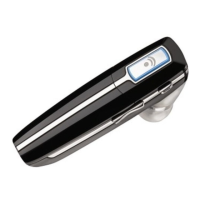
Plantronics Voyager
19 pages
Print Icon
To Next Page IconTo Next Page
Loading...
BLUETOOTH
®
HEADSET
Bedienungsanleitung
Brugervejledning
¹Æã»Â²¸»¿ØÆÂ±Ãºê
Guía del usuario
Käyttöopas
Guide de l'utilisateur
Guida dell'utente
Gebruikershandleiding
Brukerhåndbok
a
)NSTRUKCJAĺUYTKOWANIA
Manual do Utilizador
'HIDĺDEĺUTILIZARE
Руководство пользователя
Snabbstarthandbok
Bruksanvisning
+ULLANàMĺ+àLAVUZU
User Guide
Question and Answer IconNeed help?

Do you have a question about the Plantronics Voyager and is the answer not in the manual?

Summary

Welcome

What is Bluetooth?

Package Contents & Features

Charging

Pairing

QuickPair Technology

Simplifies Bluetooth setup with automatic pairing mode.

Subsequent Pairing

Instructions for pairing your headset with another device.

Custom Fit

Put On The Headset

Guidance on how to properly wear the headset for optimal voice clarity and secure attachment.

Choose An Ear Bud That Fits

Instructions for selecting and attaching the correct ear bud for a proper seal.

Use The Optional Ear Loop Stabiliser

Guidance on attaching the ear loop for increased stability and wearing the headset on either ear.

Headset Controls

Indicators

Range

Hands-Free Features

Additional Features

Explains how to transfer calls and manage online indicators for advanced functionality.

Multipoint (Using More Than One Bluetooth Device)

Optional Accessories

Troubleshooting

Product Specifications

Technical Assistance

Summary

Welcome

What is Bluetooth?

Package Contents & Features

Charging

Pairing

QuickPair Technology

Simplifies Bluetooth setup with automatic pairing mode.

Subsequent Pairing

Instructions for pairing your headset with another device.

Custom Fit

Put On The Headset

Guidance on how to properly wear the headset for optimal voice clarity and secure attachment.

Choose An Ear Bud That Fits

Instructions for selecting and attaching the correct ear bud for a proper seal.

Use The Optional Ear Loop Stabiliser

Guidance on attaching the ear loop for increased stability and wearing the headset on either ear.

Headset Controls

Indicators

Range

Hands-Free Features

Additional Features

Explains how to transfer calls and manage online indicators for advanced functionality.

Multipoint (Using More Than One Bluetooth Device)

Optional Accessories

Troubleshooting

Product Specifications

Technical Assistance

Plantronics Voyager Specifications

General IconGeneral
Wearing styleOver-the-ear
Wireless technologyBluetooth
Talk timeUp to 7 hours
Standby timeUp to 11 days
Wireless RangeUp to 98 feet (30 meters)
CompatibilityMost Bluetooth-enabled devices
MicrophoneYes, with multiple microphones
Charging Time1.5 hours for full charge

Videos

How to Check Battery Level - Plantronics Voyager V5200

How to Pair with App - Plantronics Voyager V5200

How to Disconnect Your Phone from Plantronics Voyager 5200

How to Buttons Controls - Plantronics Voyager V5200

How to Extend Battery Life on Plantronics Voyager 4320 UC Headset

How to Factory Reset the Plantronics Voyager 6200 via Mobile App

Related product manuals