EasyManua.ls Logo

Platinum 6682879 - User Manual

Platinum 6682879
40 pages
Print Icon
To Next Page IconTo Next Page
Loading...
INSTRUCTION MANUAL
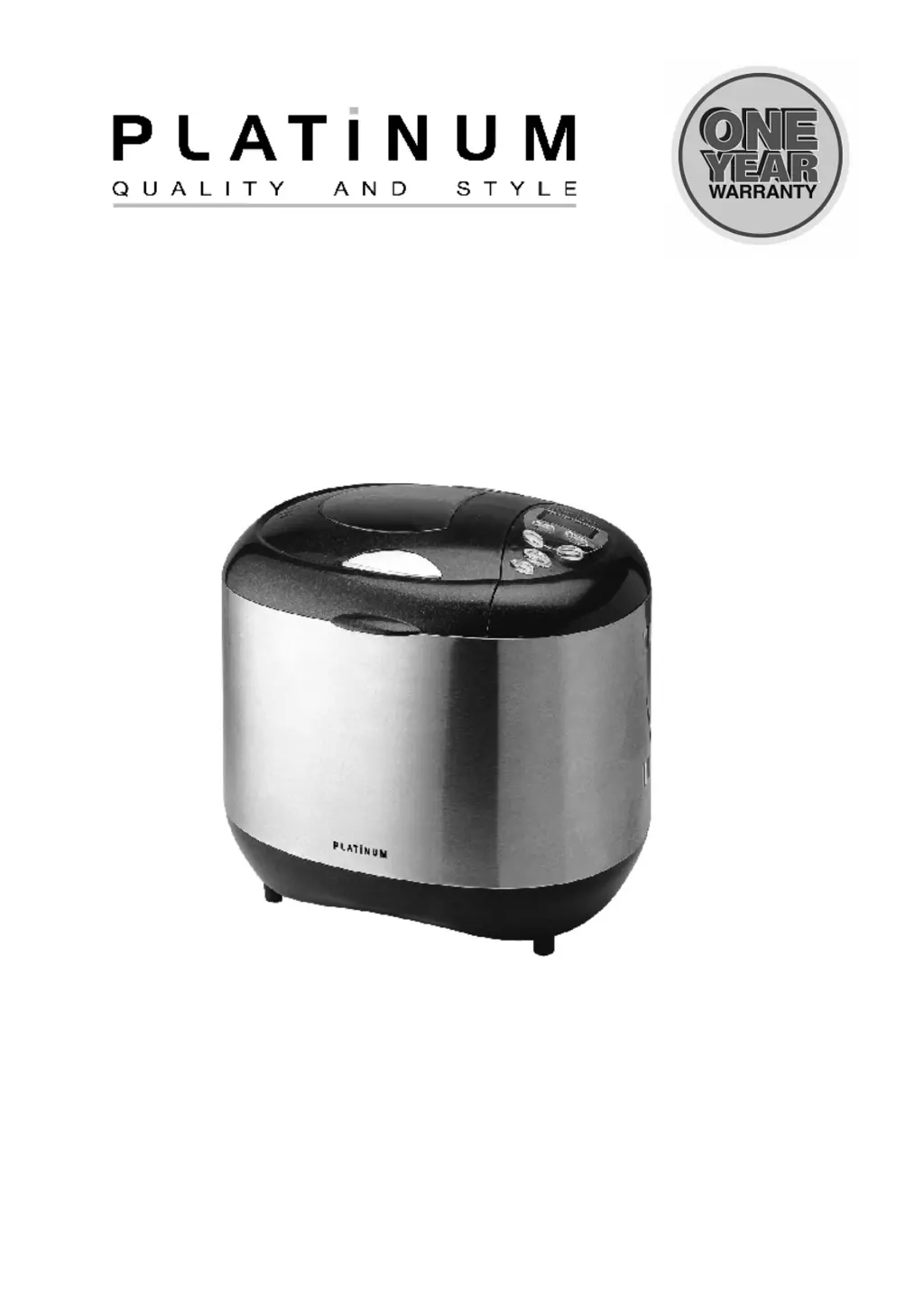
BREAD MAKER
MODEL: 6682879 (XBM1029S) EAN: 6001001951418
INDOOR HOUSEHOLD USE ONLY
Please save and read this instruction manual carefully before use.

Questions and Answers

  • I
    Isaiah GravesAug 19, 2025
    What to do if my Platinum 6682879 displays 'H:HH'?
    • L
      Lauren SellersSep 12, 2025
      If your Platinum Bread Maker displays “H:HH” after pressing the start/stop button, it indicates that the temperature inside the bread maker is too high. To resolve this, press the “start/stop” button again, unplug the bread maker, remove the bread pan, and leave the cover open until the bread maker cools down.
  • D
    dylan09Aug 21, 2025
    Why is my Platinum 6682879 Bread Maker producing bread that is too large?
    • A
      Arthur BartlettAug 21, 2025
      If the bread size is too large and pushes the cover of your Platinum Bread Maker, it could be due to excessive yeast, flour, or water, or a high environment temperature. Check these factors and reduce the amounts accordingly to prevent the bread from overflowing.
  • J
    jennifer74Aug 23, 2025
    Why does my Platinum Bread Maker bread collapse in the middle?
    • J
      james87Aug 23, 2025
      If the bread collapses in the middle parts when baking dough in your Platinum Bread Maker, it might be due to using flour that isn't strong enough to make the dough rise. Try using bread flour or strong powder. Also, ensure that the yeast is used at room temperature and adjust the water according to the flour's ability to absorb water, as excessive water can make the dough too wet and soft.
  • R
    Roger CainAug 26, 2025
    How to prevent the crust from getting too dark on my Platinum 6682879?
    • T
      Tracy BlackAug 26, 2025
      If the crust of your cakes or sugary foods is too thick and the baking color is too dark in your Platinum Bread Maker, it's likely due to the high sugar content affecting the baking color. To prevent this, interrupt the program 5-10 minutes before the intended finishing time by pressing start/stop. After that, keep the bread or cake in the bread pan for about 20 minutes with the cover closed before removing it.
  • D
    Donna BrooksAug 27, 2025
    Why is my Platinum 6682879 bread too small or not rising?
    • N
      Nicholas BakerAug 27, 2025
      If the bread size is too small or has no rise in your Platinum Bread Maker, it could be due to insufficient or inactive yeast. Check the amount and performance of the yeast. Ensure the water isn't too hot, as this can harm the yeast, and avoid mixing the yeast directly with salt. If the environment is cold, increase the temperature appropriately to promote yeast activity.
  • P
    pamelaevansAug 29, 2025
    What to do if my Platinum 6682879 motor is running but not stirring the dough?
    • R
      ronnie03Aug 30, 2025
      If you hear motor noises but the dough isn’t stirred in your Platinum Bread Maker, it may be because the bread pan is not fixed properly, or the dough is too large. Check that the bread pan is correctly fixed. Ensure the dough is made according to the recipe and that the ingredients are weighed accurately.
  • T
    Tina ThomasSep 1, 2025
    Why is my Platinum Bread Maker bread so heavy and dense?
    • J
      Jeremy GregorySep 1, 2025
      If the bread weight is very large and the organization construct is too dense when using your Platinum Bread Maker, this could be due to too much flour or not enough water. Try reducing the amount of flour or increasing the amount of water. It could also be caused by too many fruit ingredients or too much whole wheat flour. Reduce the amount of these ingredients and increase the amount of yeast.
  • W
    wjohnsonSep 3, 2025
    Why is there smoke coming from my Platinum Bread Maker?
    • O
      ojohnsonSep 3, 2025
      If you notice smoke coming from the ventilation hole of your Platinum Bread Maker during baking, it's likely due to some ingredients adhering to the heat element or nearby, or oil remaining on the heat element from the first use. To resolve this, unplug the bread maker and carefully clean the heat element, being cautious not to get burned. During the first use, run the bread maker empty with the lid open.
  • D
    Dylan GreenSep 5, 2025
    Why is the dough overflowing in my Platinum 6682879?
    • E
      Eric RogersSep 5, 2025
      If dough is so large that it overflows the bread pan in your Platinum Bread Maker, it's likely because there's too much liquid, making the dough too soft, and the yeast amount is excessive. To fix this, reduce the amount of liquids used and improve the dough's rigidity.
  • A
    Andrew CharlesSep 7, 2025
    Why is the bottom crust of my Platinum Bread Maker bread too thick?
    • E
      Eileen BrownSep 7, 2025
      If the bread bottom crust is too thick when using your Platinum Bread Maker, it is likely because the bread was kept warm and left in the bread pan for too long, causing it to lose too much moisture. To prevent this, take the bread out soon after baking without keeping it warm.

Summary

Important Safeguards

General Safety Precautions

Essential safety measures for operating the bread maker, covering user suitability, supervision, and electrical safety.

Know Your Bread Maker

Appliance Components

Identification and labeling of the various parts of the bread maker, including the lid, pan, and control panel.

Specifications

Technical Specifications

Details on the bread maker's capacity, voltage, wattage, and power cord type.

Using Your Bread Maker

Pre-Use Checks

Essential steps to perform before operating the bread maker, including checking for damage and confirming voltage.

Function Introduction

Bread Maker Programs List

Lists the 12 available programs for the bread maker, including Basic, French, and Cake modes.

Control Panel Operations

Explains how to use the Start/Stop, Menu, Color, and Loaf Size buttons for operation.

Delay Function

Setting the Delay Time

Guide on how to use the TIME buttons to set a delayed start for bread making.

Operating Modes & Displays

Keep Warm Feature

Information on the automatic 60-minute keep warm function after baking.

Memory Functionality

Details on how the bread maker resumes operation after a power interruption.

Warning Displays

Explanation of error codes 'H:HH' and 'E:EE' and their solutions.

How to Make Bread

Step-by-Step Baking Process

Instructions for preparing ingredients, selecting settings, and removing the bread.

Special Instructions & Care

Quick Bread & Ultra Fast Programs

Specific guidance for using Quick Bread and Ultra Fast programs, including temperature notes.

Care and Cleaning Guide

Instructions for cleaning the bread pan, kneading blade, lid, and housing.

Introduction of Bread Ingredients

Flour Types and Usage

Descriptions of various flours like bread flour, plain flour, and whole wheat flour.

Yeast and Salt Information

Details on yeast types, testing its activity, and the role of salt in baking.

Other Ingredients

Information on using sugar, eggs, fats, leavening agents, and liquids in bread making.

Ingredients Measurement & Sequence

Weighing and Measuring

Guidelines for accurately measuring liquid and dry ingredients using cups and spoons.

Ingredient Placement Order

Recommended sequence for adding ingredients to the bread pan for optimal results.

Trouble Shooting Guide

Common Baking Problems & Solutions

Addresses issues like smoke, thick crust, dough not stirring, and size problems.

Warranty Information

Warranty Terms and Conditions

Details the one-year warranty period, coverage, and conditions for claims.

Platinum 6682879 Specifications

General IconGeneral
BrandPlatinum
Model6682879
CategoryBread Maker
LanguageEnglish

Related product manuals