EasyManua.ls Logo

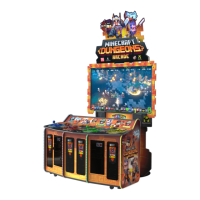
Play Mechanix Minecraft Dungeons Arcade - User Manual

Play Mechanix Minecraft Dungeons Arcade
47 pages
Print Icon
To Next Page IconTo Next Page
Loading...




!"#$%%$%
"&'($(&
)$*+$*'($,-./00
)$*+1$2."($2)'3$4566***67
)$1$**4+1/83191&7
)$*+1:3$4566***(&&67

Table of Contents

Questions and Answers

  • G
    Gary EllisAug 16, 2025
    How to fix a Play Mechanix Arcade Game Machines that will not power up?
    • S
      Shannon WallsAug 17, 2025
      If your Play Mechanix Arcade Game Machine won't power up, there are several potential reasons: * The game might not be plugged into the outlet. Solution: Plug the game into a working outlet. * The main power switch might be off. Solution: Turn on the main power switch. * The game fuse could be blown. Solution: Check and replace the fuse. * The game power line circuit breaker may have tripped. Solution: Check and reset the circuit breaker. * The receptacle may not be receiving power. Solution: Test the outlet and plug the game into a powered outlet. * The PC might not be turned on. Solution: Ensure the IEC cable is tightly plugged in and trace it back to the source to ensure continuity. * The PC BIOS may be set incorrectly. Solution: Set the PC BIOS to boot on power.
  • J
    James MccoyAug 22, 2025
    What to do if Play Mechanix Arcade Game Machine shows Database Ping failure or File Server Ping failure?
    • M
      Mr. Michael FigueroaAug 23, 2025
      If your Play Mechanix Arcade Game Machine has an IP address and Server Ping Success, but shows Database Ping failure or File Server Ping failure, it might be due to: A firewall blocking communication with the server. Consult your firewall documentation to ensure the configuration allows ICMP Echo. If your router has a built-in firewall, check its configuration and enable communication on ports 80, 443, 7786, and 7787. Alternatively, the Database or File Server might be down. Wait 30 minutes and check the Test Connection screen again. If the failure persists, call CoinUp® service.
  • L
    lisa96Aug 26, 2025
    What causes 'Connect I/O Board' message on Play Mechanix Minecraft Dungeons Arcade Arcade Game Machines?
    • J
      Jerry HoganAug 26, 2025
      If your Play Mechanix Arcade Game Machine displays 'Connect I/O Board' or 'I/O Board Missing', the issue could be: * A disconnected USB cable. Solution: Check the USB connection from the PC to the I/O board. * A blown fuse. Solution: Check and replace the fuse. * No power to the RIO2 board. Solution: Check for proper voltage (+12V) at the RIO2 P1 connector. * A bad RIO2 board. Solution: Replace the RIO2 board with a known functional board.
  • T
    Tonya TaylorAug 28, 2025
    How to troubleshoot 'NO VIDEO' message on Play Mechanix Minecraft Dungeons Arcade?
    • W
      William KnoxAug 28, 2025
      If you are getting a 'NO VIDEO' message on your Play Mechanix Arcade Game Machine, it could be due to: * Video cables not plugged in properly. Solution: Reattach and/or tighten the video cable to the monitor and to the PC. * A faulty video cable. Solution: Replace the video cable.
  • R
    Regina HolmesAug 31, 2025
    What does 'Dongle Not Present' mean on Play Mechanix Minecraft Dungeons Arcade?
    • A
      angelaschmidtAug 31, 2025
      If your Play Mechanix Arcade Game Machine says 'Dongle Not Present', the cause may be: * The dongle is missing or disconnected. Suggested solution: Find the dongle USB connection and reseat it in the USB port. * A faulty USB port. Suggested solution: Test the dongle in another USB port.
  • V
    Victoria MorganSep 3, 2025
    Why is there no sound coming from my Play Mechanix Minecraft Dungeons Arcade?
    • M
      Matthew JimenezSep 3, 2025
      If there is no sound on your Play Mechanix Arcade Game Machine, check the following: * Bad connection: Check the connection to the speakers and amplifier board. * Audio Cable Disconnected: Check the audio cable and connection.
  • S
    Sarah GrantSep 6, 2025
    What to do if my Play Mechanix Minecraft Dungeons Arcade keeps resetting?
    • M
      Melanie WatsonSep 6, 2025
      If your Play Mechanix Arcade Game Machine resets unexpectedly, it could be due to a bad file. Run a File Test and restore the hard drive.
  • L
    Lorraine PetersonSep 9, 2025
    Why doesn't the coin meter click on my Play Mechanix Minecraft Dungeons Arcade?
    • S
      steven19Sep 9, 2025
      If the coin meter on your Play Mechanix Arcade Game Machine isn't clicking, it could be due to: * No pulse to meter: Check all wiring from the meter to the I/O board. * Faulty meter: Replace the coin meter.
  • S
    Shelia WernerSep 12, 2025
    Why does my Play Mechanix Arcade Game Machines exit Test Mode every 3 seconds?
    • F
      fisheraprilSep 12, 2025
      If your Play Mechanix Arcade Game Machine exits Test Mode every 3 seconds, it is likely that the test button is stuck in the ON position. Slide or toggle the button off after the Test Menu appears.
  • J
    Joseph WilliamsNov 18, 2025
    Why my Play Mechanix Arcade Game Machines cannot connect to CoinUp server?
    • C
      Cameron BerryNov 18, 2025
      If your Play Mechanix Arcade Game Machine cannot connect to the CoinUp® server and no IP address appears, consider the following: 1. You may not have broadband internet service. Suggested solution: Contact a local ISP to set up cable modem or DSL service. 2. The router configuration might be wrong. Suggested solution: Configure the router for DHCP (Dynamic Host Configuration Protocol). 3. The Ethernet cable could be disconnected. Suggested solution: Check that Ethernet cables are tightly connected at both ends and reboot the game. In Diagnostic mode, select Online, then Test Connection to confirm the IP address appears followed by 'eth0'. 4. The Ethernet cable might be faulty. Suggested solution: Test the cable by connecting another PC to the router or wall jack. Replace the cable if ...

Summary

Safety Precautions

Product Specifications

Electrical Power Specifications

Details voltage and operating current for US and International models.

Temperature and Humidity Guidelines

Specifies operating temperature range and maximum relative humidity.

Cabinet Dimensions

Provides height, width, and depth for 65" and 75" assembled cabinets.

Fuse Replacement Guide

Instructions and specifications for replacing fuses for fire and electrical protection.

Setup Procedures

LCD and Bezel Assembly

Detailed steps for assembling the LCD stand, mounting brackets, and bezels.

Marquee and Cable Installation

Attaching marquee assemblies and connecting cables, including power brackets.

Optional Component Installation

Procedures for positioning optional player card readers on the control panel.

Verify Cabinet Functionality

Game Software Setup

Online Registration

Connecting the game online for software updates and performance reports.

PC USB Connection Guide

Maintenance Procedures

Hard Drive Recovery

Symptoms and procedures for recovering data from a corrupted hard drive.

Flash Drive Restore

Step-by-step guide to restore game software using a USB flash drive.

Refilling Card Dispensers

Clearing Card Dispenser Jam

Authorizing Game Cards

Troubleshooting

General Troubleshooting

Common problems and solutions for game operation issues like power, video, and sound.

Online Troubleshooting

Parts Identification

Console Assembly Part Numbers

Detailed list of part numbers for the main console assembly.

Control Panel Assembly Part Numbers

Detailed list of part numbers for the control panel assembly.

65 LCD Stand Assembly Part Numbers

Detailed list of part numbers for the 65" LCD stand assembly.

75 LCD Assembly Part Numbers

Detailed list of part numbers for the 75" LCD assembly.

65 Marquee Assembly Part Numbers

Detailed list of part numbers for the 65" marquee assembly.

75 Marquee Assembly Part Numbers

Detailed list of part numbers for the 75" marquee assembly.

System Diagrams

LCD Stand Assembly Part Numbers

Detailed list of part numbers for the LCD stand assembly.

Power Plate Assembly Part Numbers

Detailed list of part numbers for the power plate assembly.

Contact Information

Play Mechanix Minecraft Dungeons Arcade Specifications

General IconGeneral
BrandPlay Mechanix
ModelMinecraft Dungeons Arcade
CategoryArcade Game Machines
LanguageEnglish

Related product manuals