Network Setup
© 2009 Sony Computer Entertainment America Inc. "PlayStation", "PLAYSTATION" and "PS" Family logo are registered trademarks of Sony Computer Entertainment Inc.
p. 4
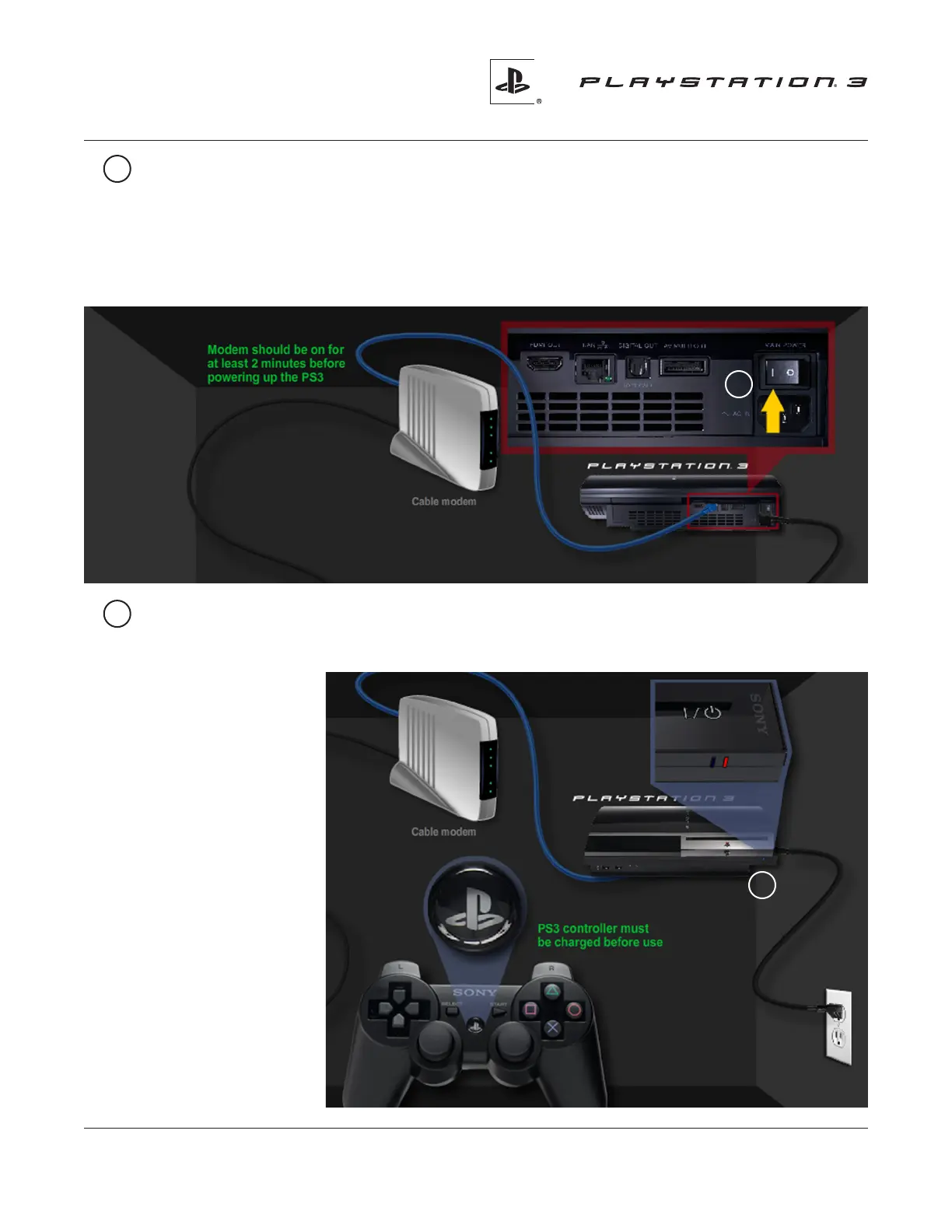
12 Make sure that your modem is plugged in and has been turned on for
at least two minutes.
Contact your Internet Service Provider (ISP) if you need assistance
in setting up or using your modem.
Then,iptheMain Power Switch located on the back panel of your PS3 system
to the ON position. The ON position is indicated by a bar on the switch.
12
13 Turn your PS3 system on by either touching the power button on the front, or by
pressing the PS button on your controller. Controller must be charged before use.
13
The power light will
change from red
to green and your
PS3 system will beep.
When there is a disc
inside, you will also
see a blue light.
Now you’re ready
tocongureyour
Network Settings.
Please visit :
http://us.playstation.com/support
for more information.



 To Previous Page