EasyManua.ls Logo

PlayStation 3 User Manual

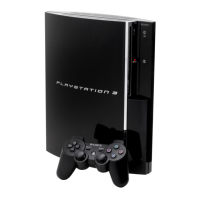
PlayStation 3
29 pages
To Next Page IconTo Next Page
Page #1 background imageLoading...
Page #1 background image
WARNING: PHOTOSENSITIVITY/EPILEPSY/SEIZURES
A very small percentage of individuals may experience epileptic seizures or blackouts when exposed
to certain light patterns or flashing lights. Exposure to certain patterns or backgrounds on a television
screen or when playing video games may trigger epileptic seizures or blackouts in these individuals.
These conditions may trigger previously undetected epileptic symptoms or seizures in persons who
have no history of prior seizures or epilepsy. If you, or anyone in your family, has an epileptic condition
or has had seizures of any kind, consult your physician before playing. IMMEDIATELY DISCONTINUE
use and consult your physician before resuming gameplay if you or your child experience any of the
following health problems or symptoms:
• dizziness eye or muscle twitches • disorientation • any involuntary movement
altered vision • loss of awareness • seizures, or or convulsion.
RESUME GAMEPLAY ONLY ON APPROVAL OF YOUR PHYSICIAN.
_____________________________________________________________________________
Use and handling of video games to reduce the likelihood of a seizure
• Use in a well-lit area and keep as far away as possible from the television screen.
• Avoid large screen televisions. Use the smallest television screen available.
• Avoid prolonged use of the PLAYSTATION
®
3 system. Take a 15-minute break during each hour of play.
• Avoid playing when you are tired or need sleep.
_____________________________________________________________________________
Stop using the system immediately if you experience any of the following symptoms: lightheadedness,
nausea, or a sensation similar to motion sickness; discomfort or pain in the eyes, ears, hands, arms, or
any other part of the body. If the condition persists, consult a doctor.
NOTICE:
Use caution when using the SIXAXIS™ wireless controller motion sensor function. When using the
SIXAXIS™ wireless controller motion sensor function, be cautious of the following points. If the
controller hits a person or object, this may cause accidental, injury or damage. Before using, check
that there is plenty of space around you. When using the controller, grip it firmly to make sure it
cannot slip out of your hand. If using a controller that is connected to the PS3™ system with a USB
cable, make sure there is enough space for the cable so that the cable will not hit a person or object.
Also, take care to avoid pulling the cable out of the PS3™ system while using the controller.
WARNING TO OWNERS OF PROJECTION TELEVISIONS:
Do not connect your PLAYSTATION
®
3 system to a projection TV without first consulting the user manual
for your projection TV, unless it is of the LCD type. Otherwise, it may permanently damage your TV screen.
HANDLING YOUR PLAYSTATION
®
3 FORMAT DISC:
Do not bend it, crush it or submerge it in liquids. Do not leave it in direct sunlight or near a radiator
or other source of heat. Be sure to take an occasional rest break during extended play. Keep this
disc clean. Always hold the disc by the edges and keep it in its protective case when not in use. Clean
the disc with a lint-free, soft, dry cloth, wiping in straight lines from center to outer edge. Never use
solvents or abrasive cleaners.

Other manuals for PlayStation 3

Question and Answer IconNeed help?

Do you have a question about the PlayStation 3 and is the answer not in the manual?

PlayStation 3 Specifications

General IconGeneral
ManufacturerSony
Release DateNovember 11, 2006 (Japan)
CPUCell Broadband Engine
GPUReality Synthesizer
RAM256 MB XDR
VRAM256 MB GDDR3
Storage20 GB, 40 GB, 60 GB, 80 GB, 120 GB, 160 GB, 250 GB, 320 GB, 500 GB (varies by model)
Video OutputComposite video
Audio OutputHDMI, Optical S/PDIF
ConnectivityEthernet, Wi-Fi, Bluetooth 2.0
ControllersSixaxis, DualShock 3
Dimensions325 mm × 98 mm × 274 mm
Weight5 kg
Power ConsumptionApprox. 200 W (original model)
USB Ports2-4 (varies by model)

Summary

Important Safety Information

Photosensitivity and Seizure Warnings

Warning about potential seizures from flashing lights.

Usage Notices and Precautions

General notices and precautions for system use.

Getting Started

System Overview and Setup

Diagram of PS3 front, starting and quitting games.

Controller and Data Management

Using the SIXAXIS controller and managing save data.

Basic Controls

Ollie, Grab, and Flip Tricks

How to perform basic airborne tricks.

Grind Tricks and Stalls

Steps to perform grind tricks and execute stalls.

Advanced Controls - Part 1

Manuals, Reverts, and No Comply

How to perform manuals, reverts, and no comply tricks.

Boneless and NAIL THE TRICK™ Mode

Performing boneless tricks and using NAIL THE TRICK mode.

Advanced Controls - Part 2

Scoring and Nail the Grab Mode

Scoring mechanics and performing grabs in NAIL THE TRICK.

Nail the Manual Mode and Aggro Kick

Performing manuals and initiating Aggro Kick.

Switch Stance and Fakie Ollie

Entering switch stance and performing Fakie Ollies.

Advanced Controls - Part 3

Wall Tricks and Transfers

Performing wallrides, wallplants, and spine transfers.

Flatland and Aerial Tricks

Flatland tricks, double-tap flips, carves, drops, spins.

Camera and Tilt Controls

Controlling camera and using SIXAXIS tilt features.

Story Mode Gameplay

Progression and Missions

Overview of story missions and game progression.

Customization and Progression Systems

Skate Lounge, stokens, skills, stats, and records.

Challenges and Navigation

Photo, film, skill challenges, compass, and goal tracking.

In-Game Tools and Features

Rigger Menu, Video Editor, and phone messages.

Create Your Skater

Skater Creation and Customization

Customizing a skater's appearance and style.

Unlocking Customization Options

How to unlock new pieces and options.

Multiplayer Game Modes

Description of Game Modes

Overview of various multiplayer game modes.

Online Play

Connecting and Setup

Connecting to PSN and starting online sessions.

Game Modes and Hosting

Custom matches, hosting, and playing online.

Game Options

Saving, Loading, and Settings

Managing game saves, settings, and options.

Cheats and In-Game Movies

Accessing cheat codes and viewing game movies.

Credits - Development and Production

Development, Production, and QA Teams

Credits for core development, production, and QA roles.

Testers and Interns

Credits for testers and production interns.

Credits - Technical, Art, and Localization

Technical, Art, and Central Tech

Credits for technology, art, and central tech departments.

Localization Teams

Credits for game localization personnel.

Credits - Marketing, Legal, and Studios

Marketing Communications and Legal

Credits for marketing, legal, and business development.

Activision Studios and Special Thanks

Credits for studios and special acknowledgments.

Credits - Story, Music, and Sponsors

Story, Voice, and Cameos

Credits for story writing, voice acting, and cameos.

Music, Sound, and Sponsors

Credits for music, sound, sponsors, and licensing.

Customer Support

Contacting Support and Online Resources

How to get technical help via phone or web.

Warranty and Product Registration

Game returns, warranty, and product registration.

Software License Agreement

Program Usage and Restrictions

Terms for using the software and prohibited actions.

Ownership, Warranty, and Liability

Activision's ownership, warranty, and damage limitations.

Related product manuals