GETTING STARTED
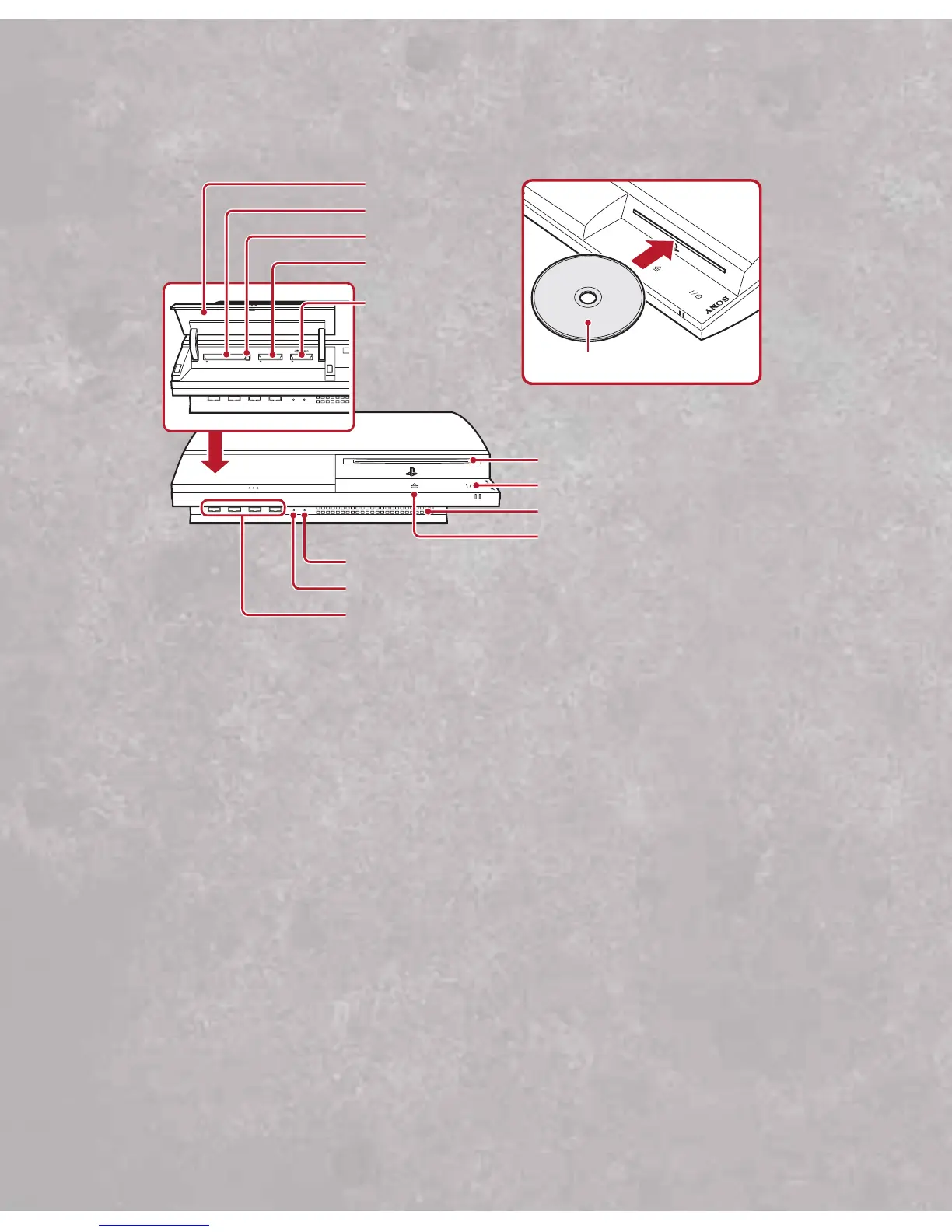
PLAYSTATION®3 system front
Starting a game: Before use, carefully read the instructions supplied with the
PLAYSTATION
®
3 computer entertainment system.The documentation contains
information on setting up and using your system as well as important
safety information.
Check that the MAIN POWER switch (located on the system rear) is turned on. Insert the
Tony Hawk’s Proving Ground
disc with the label facing up into the disc slot. Select the
icon for the software title under (Game) in the PLAYSTATION
®
3 system’s home menu,
and then press the
S button. Refer to this manual for information on using the
software.
Quitting a game: During gameplay, press and hold down the PS button on the wireless
controller for at least 2 seconds.Then select “Quit Game” from the screen that
is displayed.
Hint:To remove a disc, touch the eject button after quitting the game.
2


 To Next Page