5
2
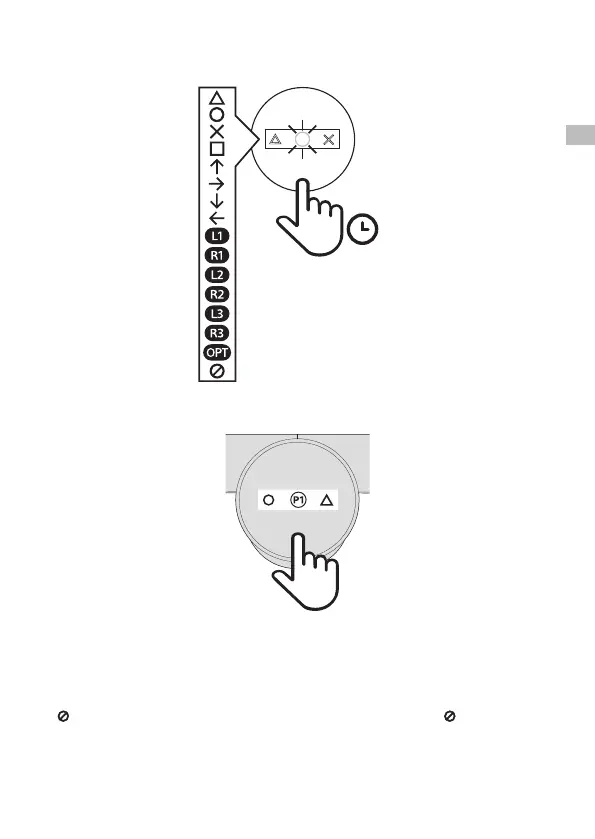
Press the back buttons to select from among the available button assignments.
Press and hold a back button to scroll through the possible assignments for that back button.
3
Click the screen button once to exit programming mode and save your profile.
If you want to create another profile, click the screen button once to enter programming mode again, and then click
twice to program the next profile.
Hints
• In programming mode, the screen turns itself o after 10 seconds of inactivity. When not in programming mode,
the screen turns itself o after 3 seconds of inactivity.
• Any customised button assignments made within PS4™ system settings also apply to the attachment.
• indicates that no button is assigned. When you assign both back buttons in a profile to , that profile is hidden
when not in programming mode.
1s
J
K
P1
x1
EN


 To Next Page