EasyManua.ls Logo

PlayStation PS4 DUALSHOCK 4 Back Button Attachment - Powering Up; Creating Profiles; Default Profiles; Customise a Profile

PlayStation PS4 DUALSHOCK 4 Back Button Attachment
8 pages
Print Icon
To Next Page IconTo Next Page
To Previous Page IconTo Previous Page
Loading...
4
Powering up
1
Press the
p
(PS) button to turn on your controller.
2
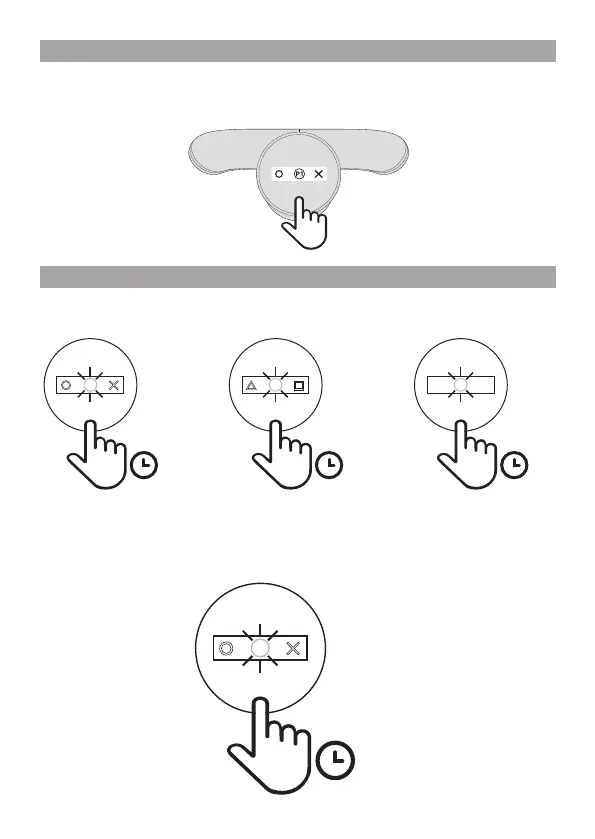
Click the screen button on the attachment. The default profile (P1) appears on the screen.
Creating proles
You can save up to 3 dierent profiles (button assignments). The default profiles are as follows:
Default profiles
Customise a profile
1
Hold the screen button down for 1 second to enter programming mode.
The profile number in the centre of the screen flashes to let you know you’re in programming mode.
x1
1s
H J
P1
1s
L
K
P2
1s
Q
E
P3
1s
H J