9GB/IE
• Always keep batteries out of reach of children
• Do not use rechargeable batteries!
• Cleaning and maintenance must not be car-
ried out by children without supervision.
• Clean the battery and device contacts as
needed and before inserting.
• Do not expose the batteries to extreme condi-
tions (e.g. radiators or direct sunlight). Other-
wise there is an increased risk of leakage.
• Warning. Used batteries must be disposed of
immediately. Keep new and used batteries out
of the reach of children. Seek medical help
immediately if you suspect that batteries have
been swallowed or ingested.
Danger!
• Handle damaged or leaking batteries with ex-
treme caution and dispose of them properly as
soon as possible. Wear gloves when doing so.
• If you come into contact with battery acid,
wash the affected area with soap and water. If
battery acid gets in your eye, rinse it with water
and seek medical attention immediately!
• The connection terminals must not be short-cir-
cuited.
Inserting batteries into the till
(Fig. B)
WARNING! Observe the following
instructions to avoid mechanical and
electrical damage.
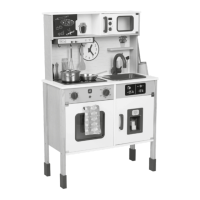
Before using the till (1) for the first time, insert the
batteries (8) included with the product.
Inserting the batteries
1. Use a suitable screwdriver (not included in the
package contents) to remove the screw (1a)
from the battery compartment cover (1b).
2. Remove the battery compartment cover and
carefully insert the batteries into the battery
compartment (1c). The batteries must be
inserted fully into the battery compartment.
Note: check the plus/minus poles of the batter-
ies and insert them correctly.
3. Screw the battery compartment cover back
on.
Replacing the till batteries
When the batteries are flat, replace them as
described in the insertion instructions. Remove
the batteries from the product before inserting
new ones.
Replacing the batteries of
the card reader and scanner
(Fig. C/D)
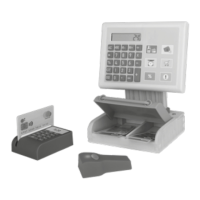
When the batteries are flat, replace them.
1. Use a suitable screwdriver (not included in the
package contents) to remove the screw (4a)
or (6a) from the battery compartment cover
(4b) or (6b) respectively.
2. Remove the respective battery compartment
cover and carefully insert new batteries into
the battery compartment (4c) or (6c). The
batteries must be inserted fully into the battery
compartment.
Note: check the plus/minus poles of the batter-
ies and insert them correctly.
3. Screw the respective battery compartment
cover back on.
Assembly
Assemble the till (1–3) as shown in Fig. B.
Functions (Fig. E)
• Press the panels (1e) to play sounds.
Using the calculator
• Press the keys (1d) to use the calculator.
Using the card reader
• Remove the protective film from the battery
compartment cover before using the card
reader (4) for the first time.
• Swipe the credit card (5) through the card
reader to play a sound.
• Press the keys (4d) to play sounds.
Using the scanner
• Remove the protective film from the battery
compartment cover before using the scanner
(6) for the first time.
• Press the key (6d) to play a sound and acti-
vate the light.







 To Next Page