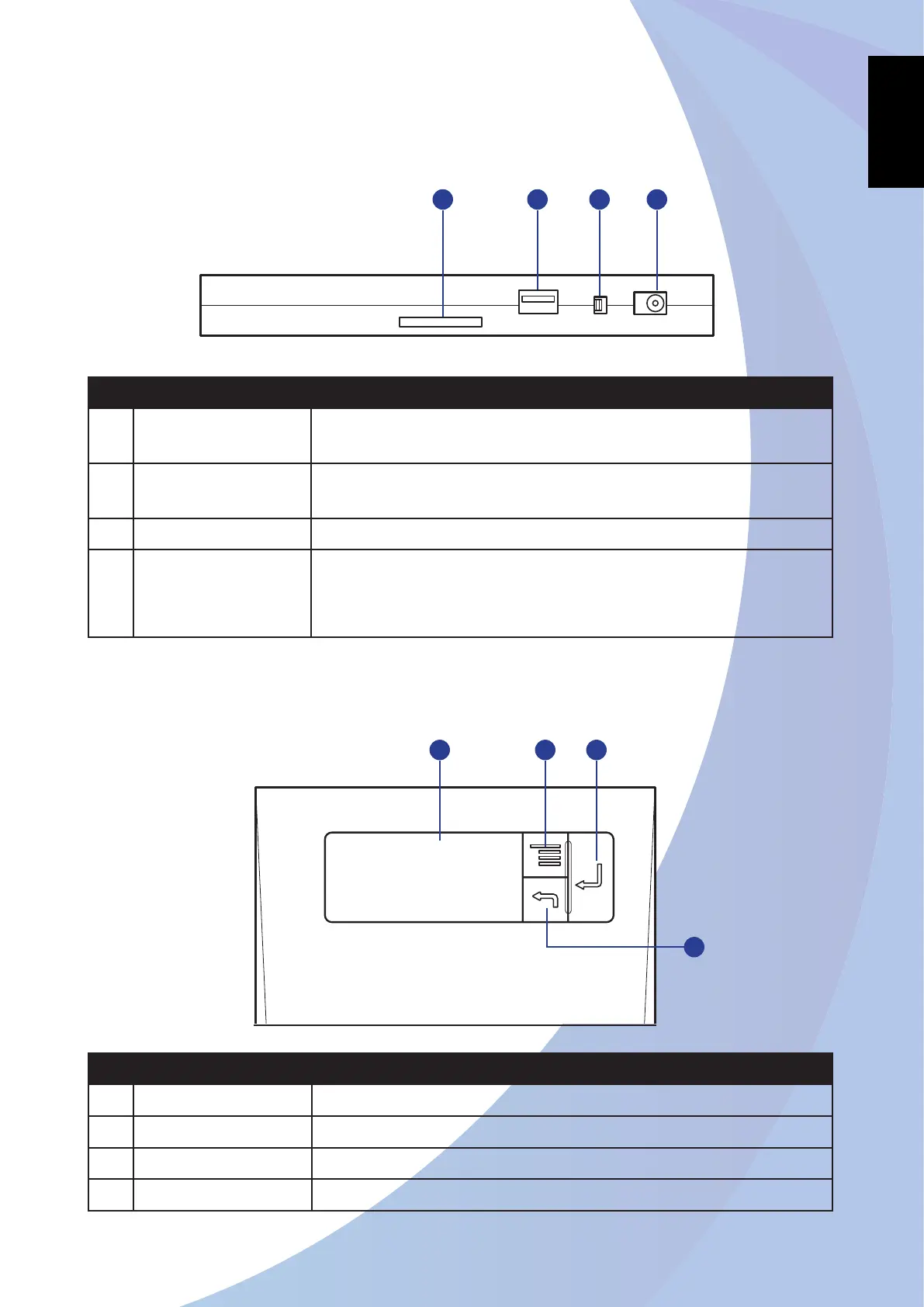
Side View
No.. Item Description
1 Card Reader Slot Support memory cards including SD (Secure Digital), SDHC (SD
High Capacity), or MMC (Multi-media Card) cards.
2 USB Port
(USB Type A)
Connect USB devices.
3 Power Switch Turn the drive on or off.
4 DC-IN Jack Connect the AC/DC adapter or Power cable.
Note: For Power cable connection, use only an external 5V/2A DC
power source.
Top Panel
No.. Item Description
1 LCD Display Display on-screen display message or OSD menu.
2 Scroll Button Press to scroll through the menu options.
3 OK Button Press to confirm the selection or enter the submenu.
4 Exit Button Press to exit the current menu.
1 2 3
4
2 3 41



 To Next Page