19
EN
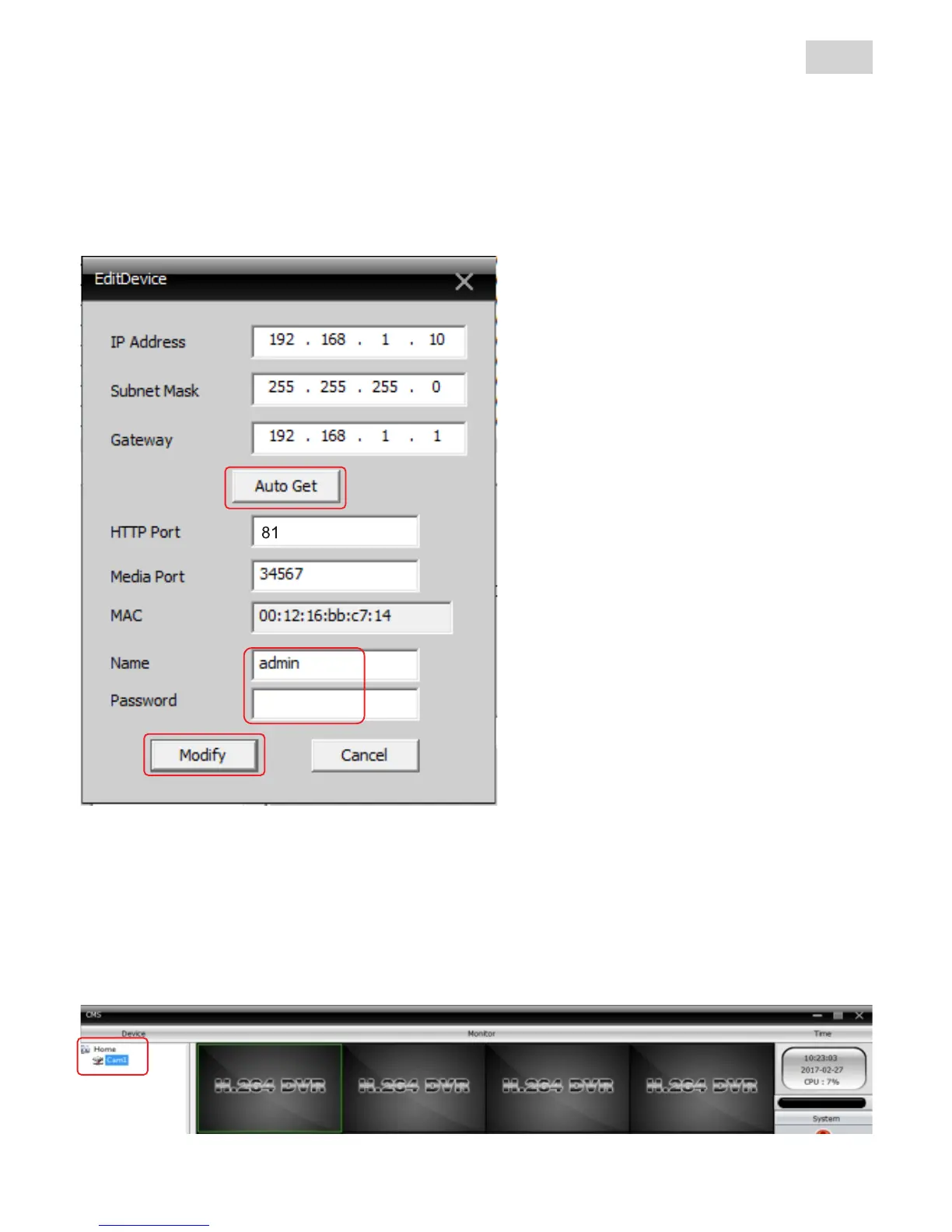
In the Edit device page you can press „Auto Get“ button (1) for
the camera to take all the required informations from the network
automatically. Next you have to insert the access information of the
camera (2) (default „Name“=admin and for „password“ leave the field
blank).
To save the settings press „Modify“ button.
The program will go back to the “add device” page. Press the „IP
Search“ button again and select the camera with the new IP. Now you
can change it’s name in “Device Name“. Confirm all settings by
pressing the “OK“ buttons.
The new camera will be available in the device list on the left.
1
2
3
NOTES:
- After pressing the „Auto Get“
button write the assigned IP for
later use.
- F o r f i x e d I P r o u t e r s w e
r e c o m m e n d y o u d o a
forwarding for ports 81 and
34567 towards the local IP of
the camera, to be able to acces
it from another network
- If you don’t have a fixed IP
router please use P2P function



 To Next Page