21
6. User notes
EN
ź The camera is for indoor use only and avoid water or moisture;
ź Avoid dropping or hitting the camera.
ź Check the voltage before connecting the poweradapter to the
camera.
ź Do not point the lens to high light sources (like the sun, a lamp
etc), because that will make the image over-bright and shorten the
life of the CMOS sensor.
ź Do not mount the camera in moist, dusty, high or low temperature,
electromagnetic radiation environement, etc.
ź Avoid direct touch to the lens. If cleaning is needed use a soft wet
cloth, without chemical substances.
ź If the camera acts abnormal, unplug it from the power source and
contact the supplier.
ź Please ground the equipment completely in the areas where
lightning is frequent.
ź Do not dismantle or open the equipment when it fails to work
properly. Contact the supplier.
ź Any intrusion/undoing of the camera or improvisation to the power
source will cause warranty loss.
ź If the Wi-fi signal is not strong enough you may experience video
5. Remote access of the camera
If you wish to remotely access the camera proceed as bellow:
ź From smartphone: follow the same procedure as for Wi-fi
configuration but select option „Manual Add“ -> insert the desired
n a m e f o r t h e c a m e r a - > i n s e r t t h e I P o r I D ( e x a m p l e :
fc4efdc7cd416919) of the camera .
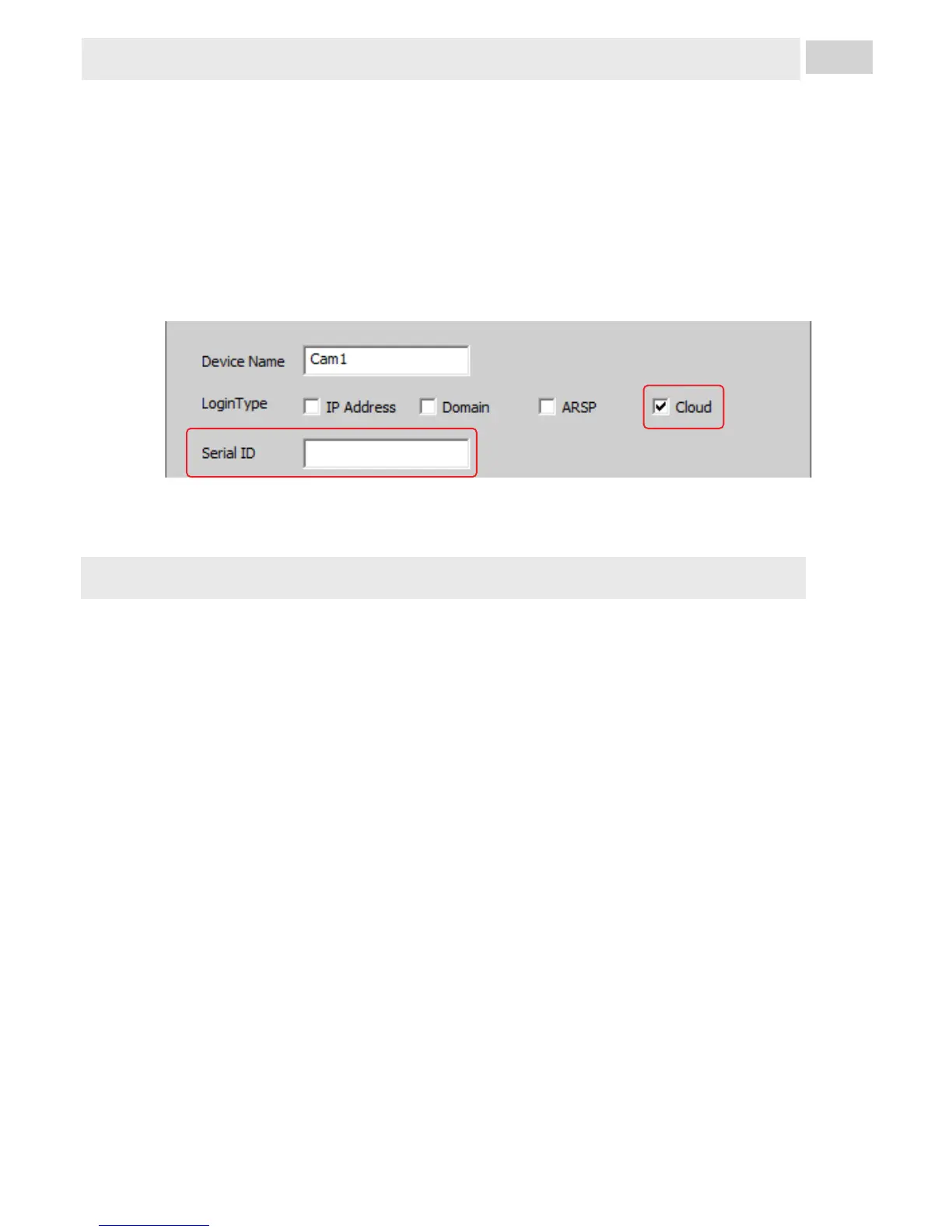
ź From PC: follow the same procedure as for wired configuration
but select option Cloud (1) the insert the camera ID (2) (example:
fc4efdc7cd416919).
1
2
NOTE: This procedure is only available after the local setting of the
camera, Wi-fi or wired configuration.



 To Next Page