17
EN
3. Wired configuration
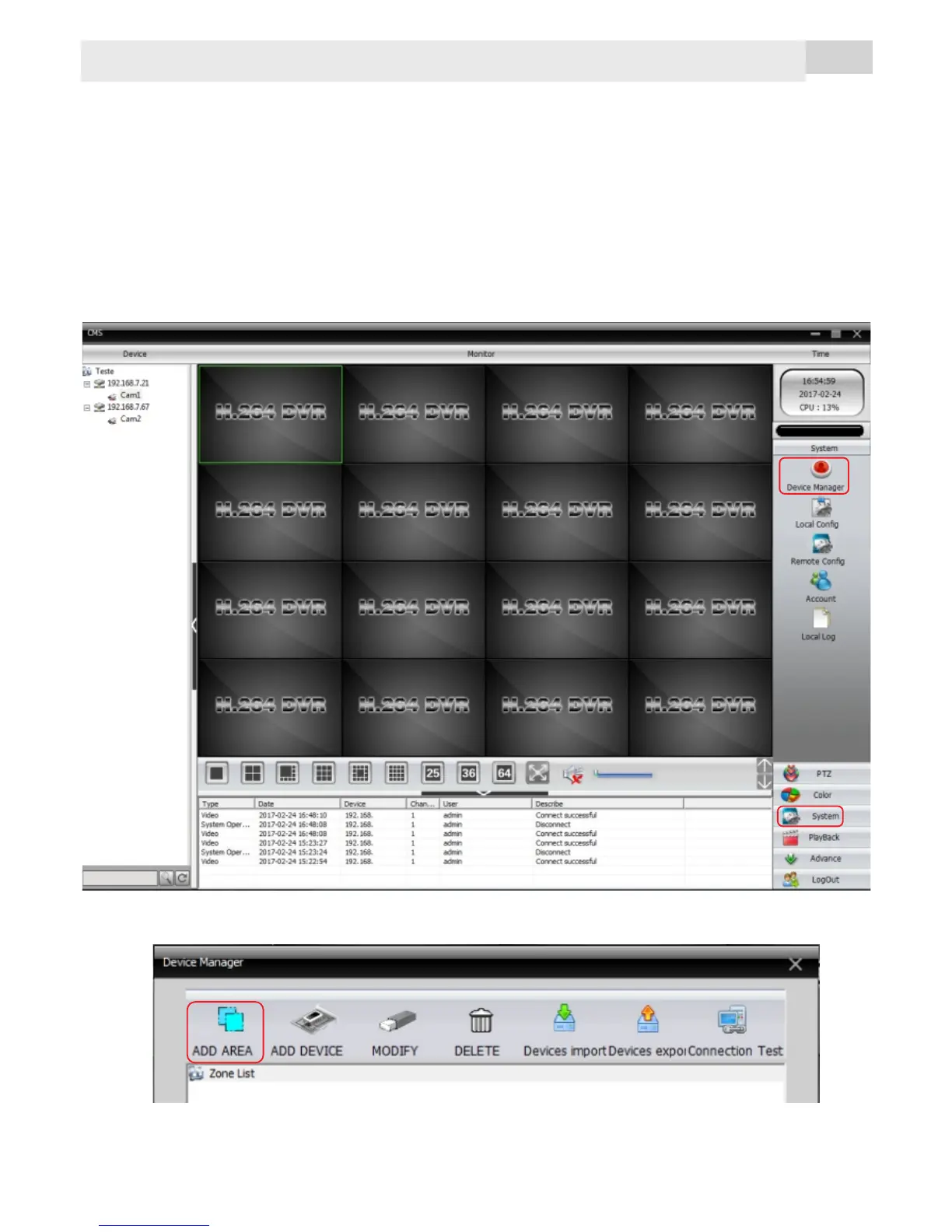
To configure the camera trough cable connection proceed as
bellow:
ź Power the camera using the included 5V/2A adapter
ź Concect the camera to the wired network
ź Install CMS software from the camera CD on a computer
connected to the same network
ź Open CMS
ź Access the right side menu: System -> Device Manager
1
2
To add a new camera you must first create an area to add it to:



 To Next Page