7
5. FILE MANAGEMENT
5.1 Types of Views
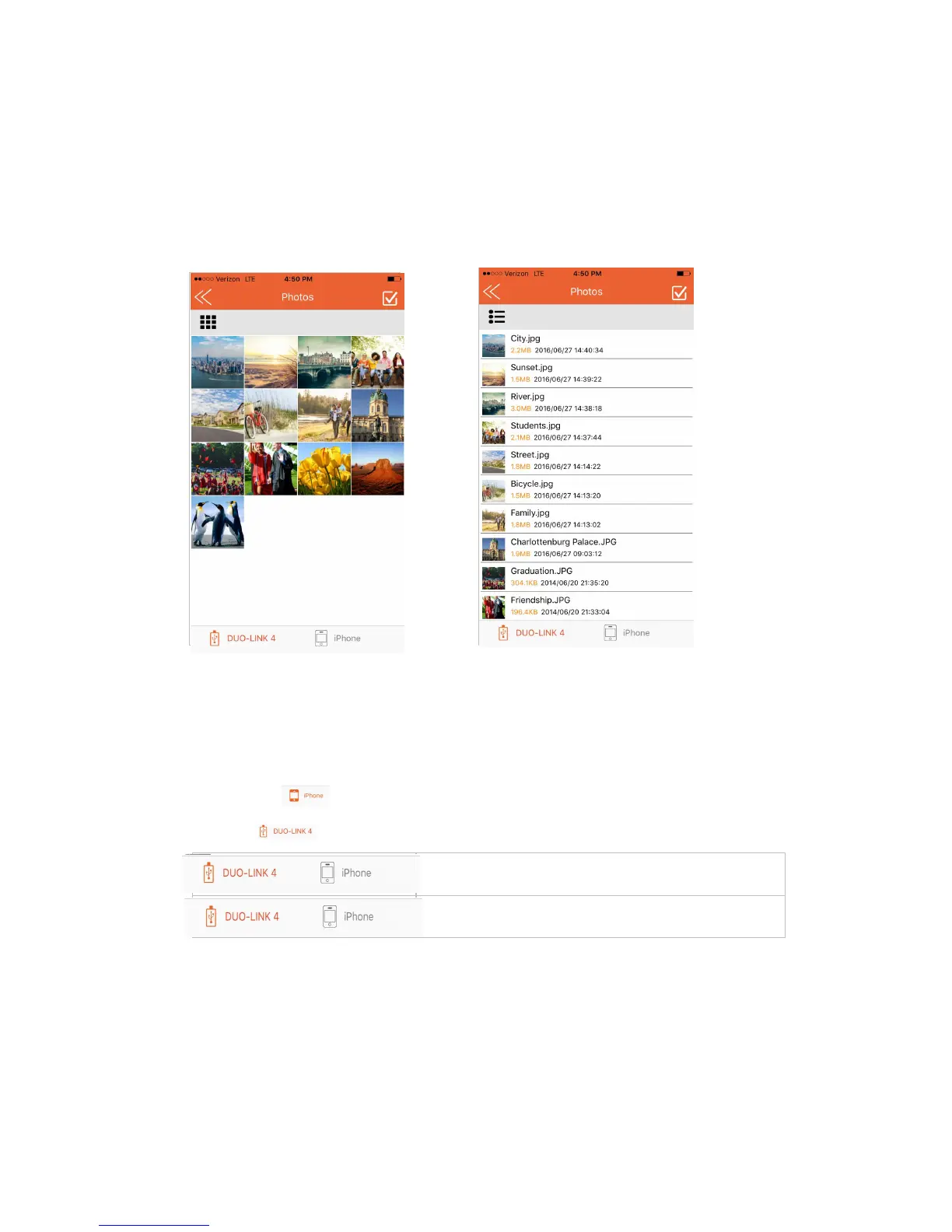
When you enter the Photo, Video, Music or File/Folder directory, all files in the specific
directory will be listed. You can choose the Grid view or List View.
Grid View List View
In the DUO-LINK 4 app, view and manage files stored on both the DUO-LINK OTG Flash
drive and iOS device. The icon highlighted in orange at the bottom of the screen
identifies the location of the files shown on the screen.
• Tap the icon to view and manage files on the DUO-LINK 4 drive.
• Tap icon to view and manage files on the iOS drive.
Viewing files stored on the DUO-LINK OTG Flash Drive
Viewing files stored in iOS device


 To Next Page