Updated February 21, 2022
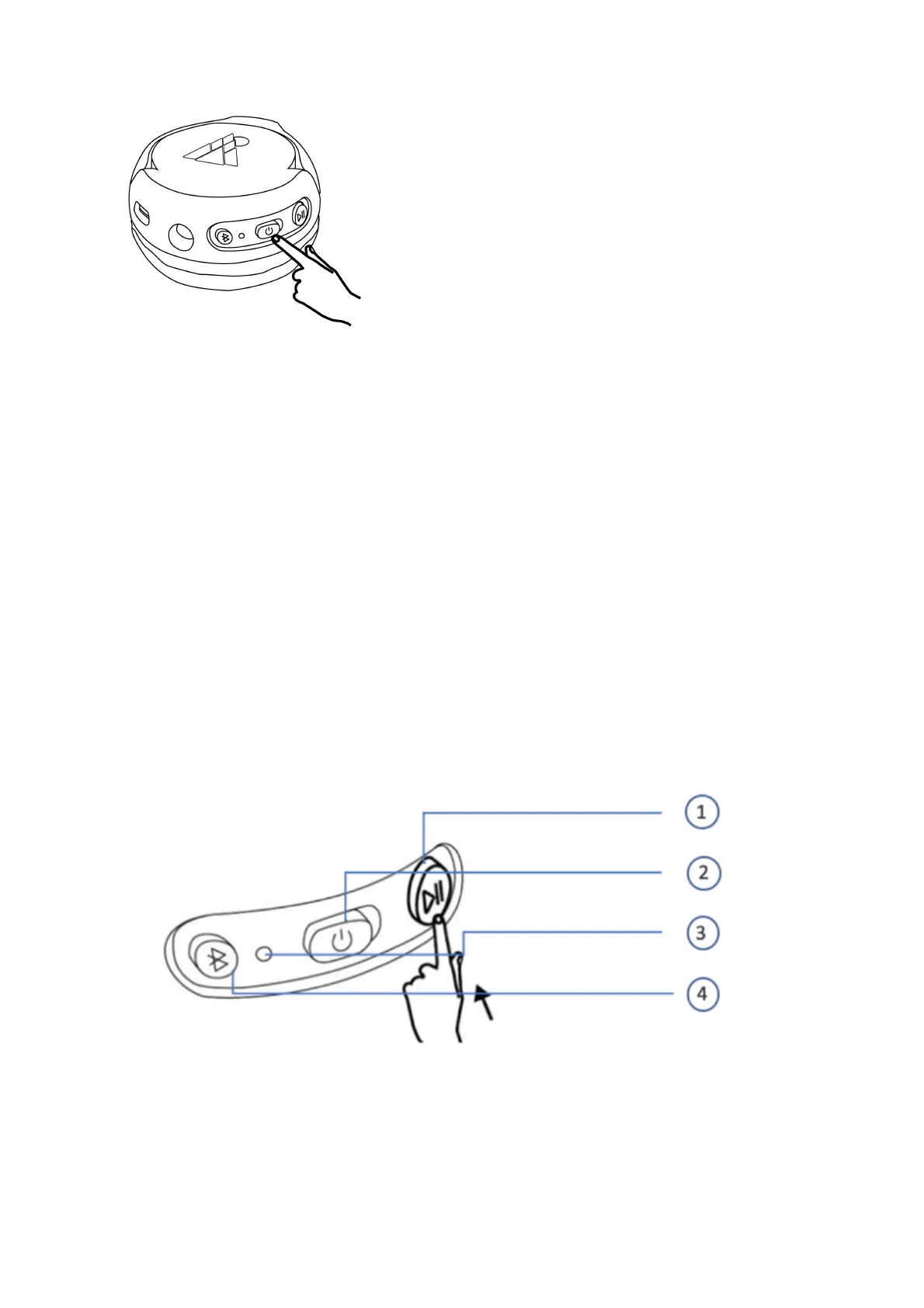
When activating, the LED light next to the on/off button, as well as the light on the
side of the speakers, will turn on. If you are wearing the headphones, you will hear an
ascending tone.
When deactivating Bluetooth®, you will hear a descending tone, and the LED lights
will turn off.
Tip: You should always deactivate Bluetooth® on your POGS when not in use to save
battery power.
Bluetooth®
pairing
You can link (pair) compatible devices, e.g. most smartphones, with your POGS ‘The
Gecko’ wireless headphones, via Bluetooth®.
To pair your POGS ‘The Gecko’ wireless headphones, press the Bluetooth® pairing
button (# 4) for approximately 5-7 seconds. The LED light will start flashing blue for 1
second and white for 1 second. This means that your POGS headphones are ready to
be paired to your device of choice.
Activate the Bluetooth® function on your external device (e.g. smartphone is used
for our example below).
• Let your smartphone search for available Bluetooth® devices.
• “My POGS Wireless Headphones” or “POGS Gecko” should appear in the list
of detected devices after the search finishes.



 To Next Page