5
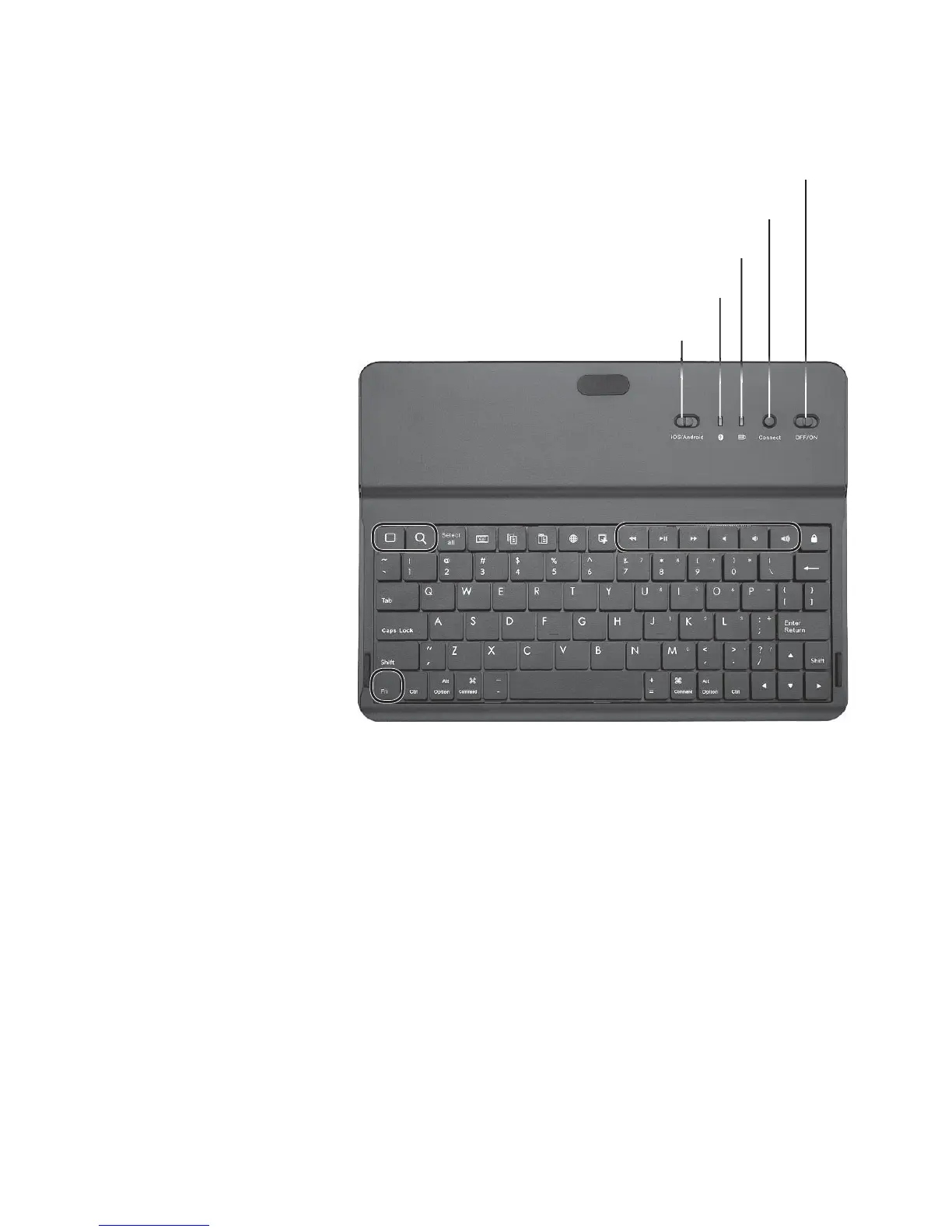
Use the Keyboard
• Set to iOS for iOS
tablets. Hotkeys
are active (the
entire top row).
• Set to Android
for Android
tablets. Only
green hotkeys
are active.
• Fn key
activates the
number pad
functions
for the keys
with blue
characters.
n
Note:
• If no button or key is pressed for 10 minutes, the
keyboard enters standby mode (shown as Disconnected
in the Bluetooth devices list) to save power. Tap any key
to use the keyboard.
• If a key is held for up to 10 minutes, the keyboard
enters standby mode. Release the pressed key and
then press any other key to waken the keyboard.
OFF/ON Switch
Power/Charging Indicator
Bluetooth Indicator
Connect
iOS/Android Switch



 To Next Page