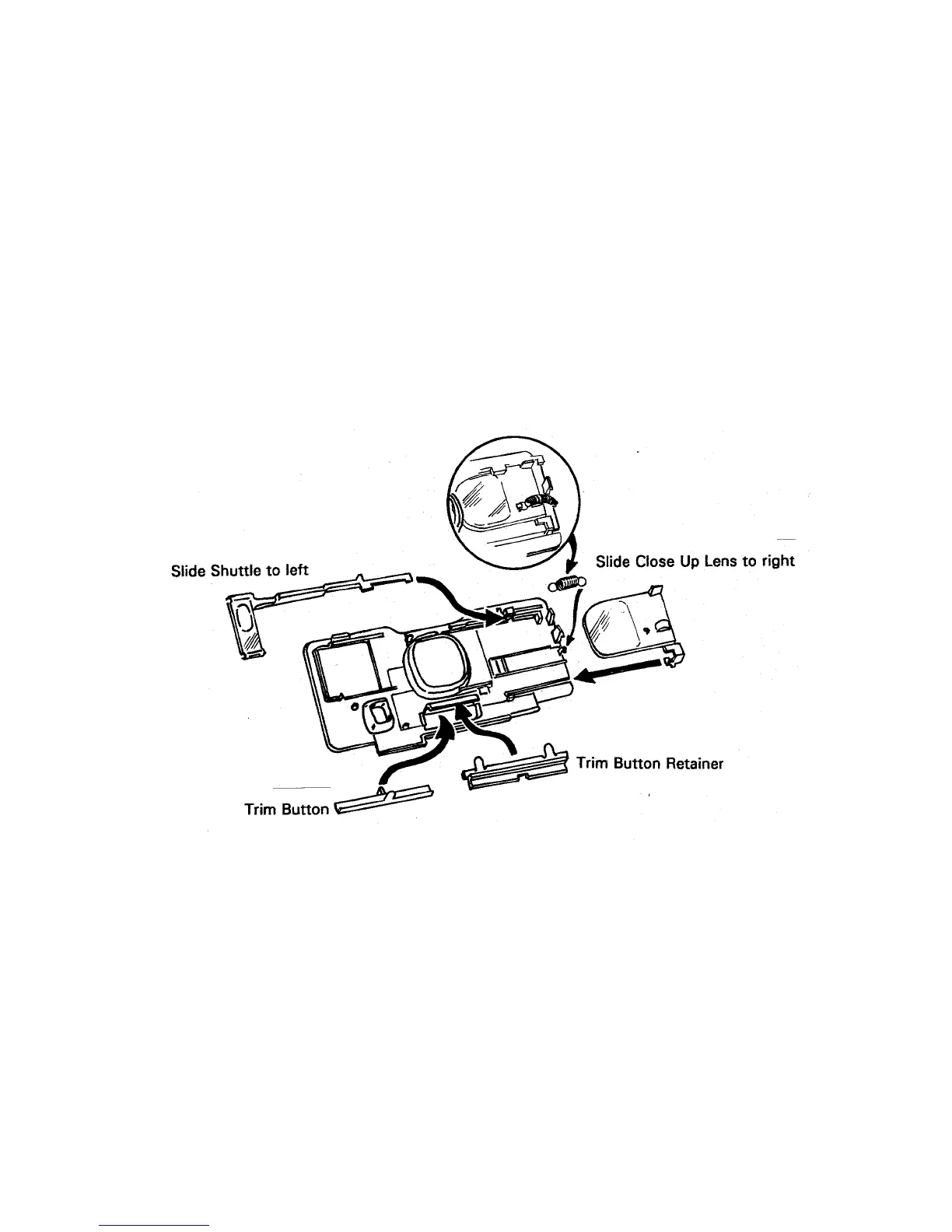
10. Disassemble the Close Up Lens, wearing finger cots or lintless gloves. First, remove
the Spring with tweezers (Fig. 10).
Next, slide the Shuttle to the left and lift its left end to remove.
Now slide the Close Up Lens to the right and with a green-stick under the right end,
carefully lift the Lens until the top edge clears the detent on the Panel.
Remove the Trim Button and Retainer by lifting each end of the Retainer away from
molded pin on the back of Panel (Fig. 10).
Fig. 10 Disassembling Close Up Lens & Trim Button
44



 To Next Page
 Loading...