ENGLISH
13
Chapter 2 Installing the LCD TV
Effective range:
The remote can control the LCD TV from up to 5m away, if pointed directly at the receiver.
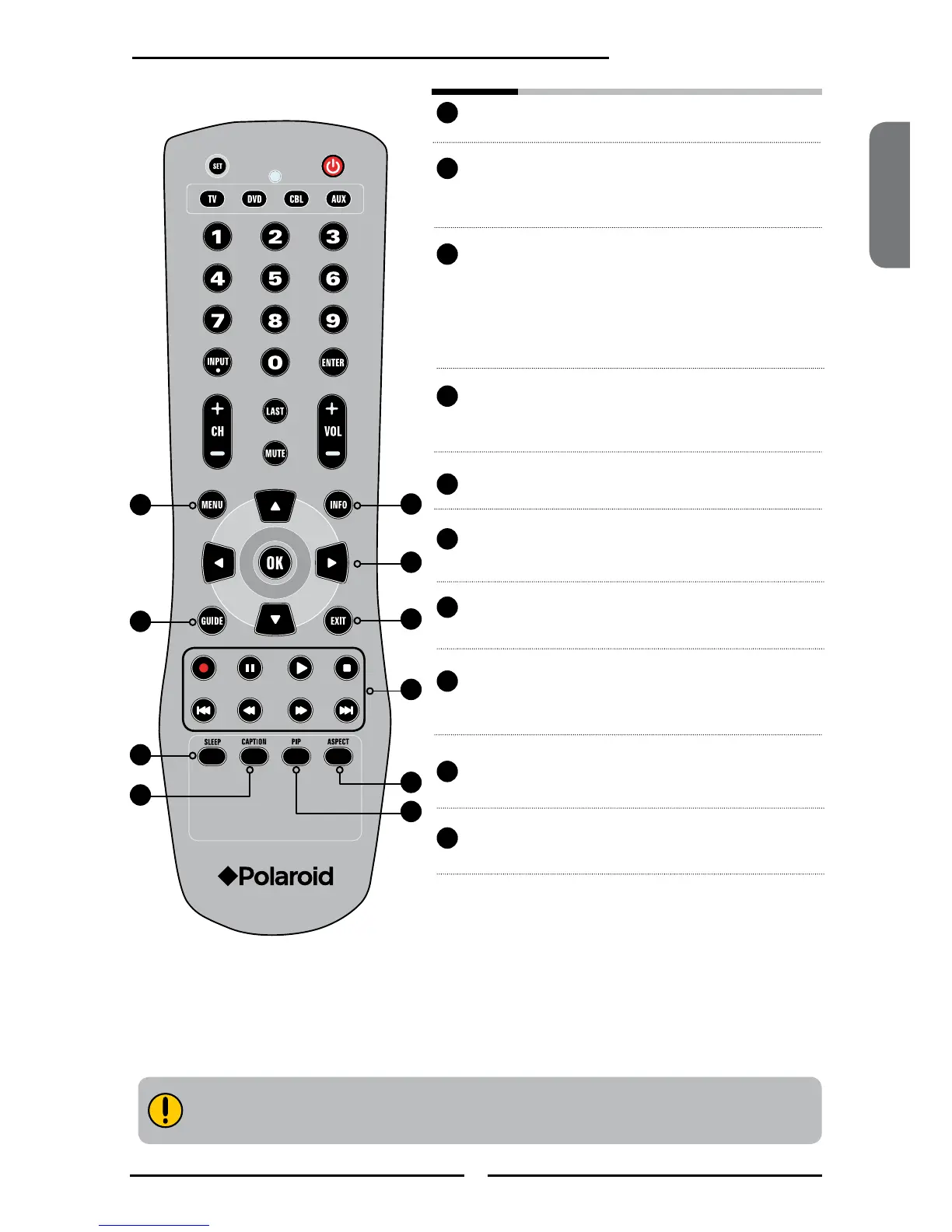
MENU Displays the OSD menu on the screen.
INFO Pressing once displays a variety of
information such as the current channel
and the input source.
▲▼►◄,OK Cycles through OSD options and selects
individual menu items. OK conrms
option settings.
OK In HDTV mode, pressing OK to display a
digital channel list.
GUIDE In HDTV mode, pressing GUIDE
displays the Program Guide on the
screen.
EXIT Exits the OSD menu.
► Other device function keys
SLEEP Cycles through the LCD TV sleep time:
OFF/30/60/90/120 mins.
CAPTION Cycles through the Closed Caption:
OFF/CC1/CC2/CC3/CC4/TT1/TT2/TT3/
TT4.
ASPECT Cycles through Wide mode settings:
NORMAL/FULL/WIDE/ZOOM.
PIP Turns PIP/POP on and off.
11
14
18
17
12
13
15
16
20
19
11
12
13
14
15
16
17
18
19
20



 To Next Page
 Loading...










