16
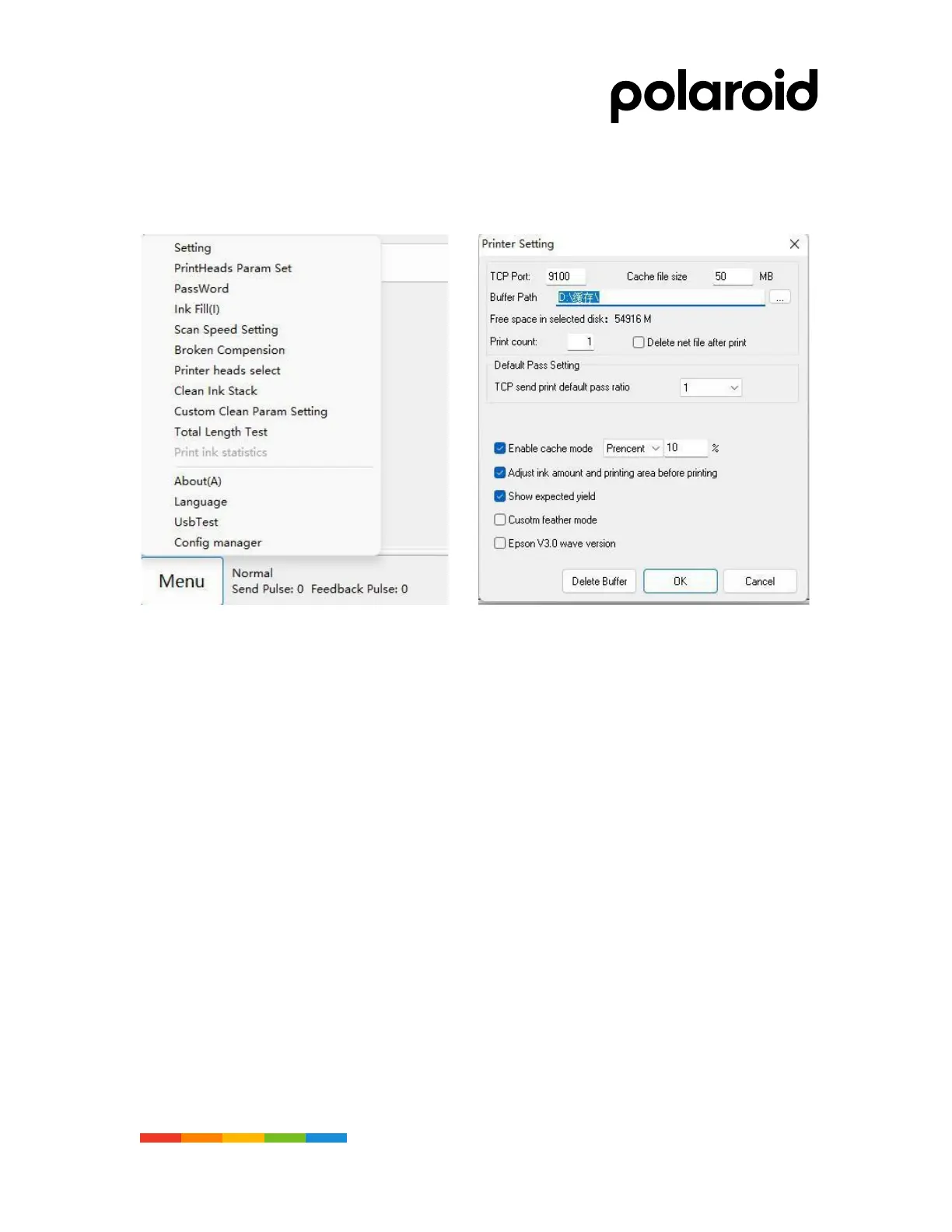
Step 15. Print driver key parameter Settings
• Adjust key parameters and set options (as shown in the figure)
• Print Settings are shown in figure 2
Fig 1 Fig2
PRECAUTIONS
1. The machine must be effectively grounded to ensure the elimination of static electricity.
2. The optimum operating environment temperature is 18 °C28°C.Humidity is 40 °%-60°%.
3. The waste ink clamp must be closed every night when the machine is turned off to prevent the ink
from returning



 To Next Page